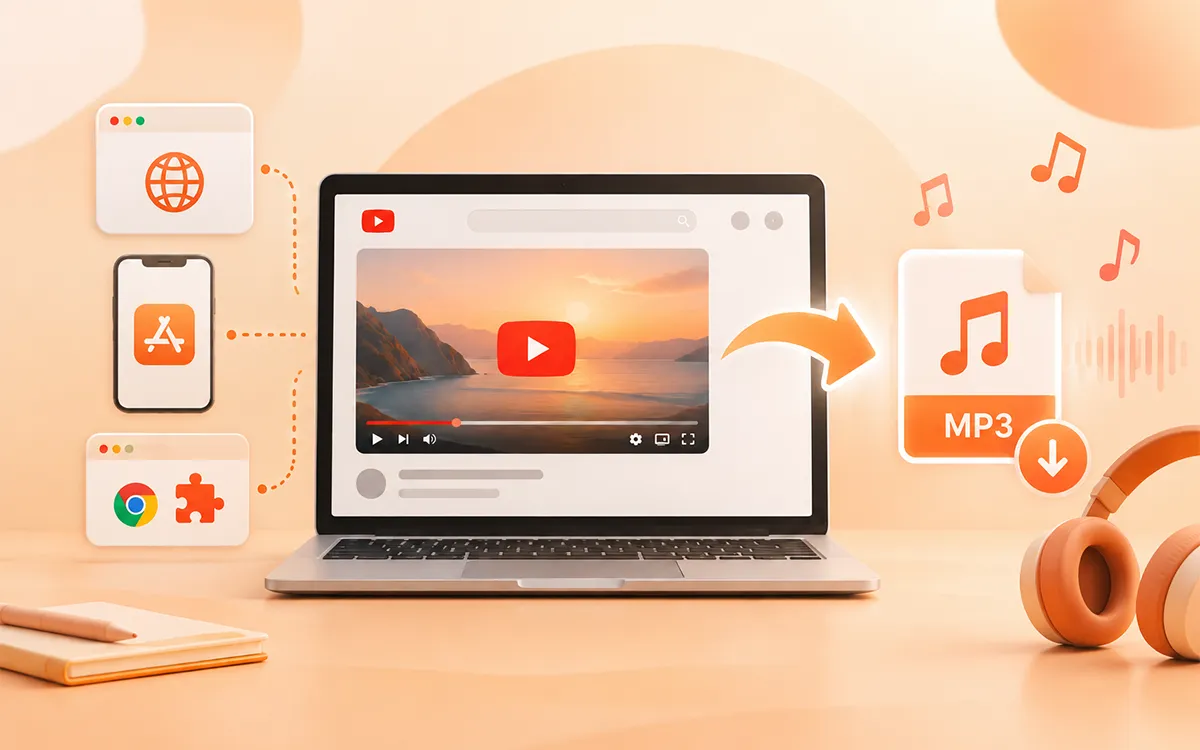
There are times when you want to save only the audio of a video file from YouTube. Maybe your favorite song or the tune as your ringtone. The good news? It is completely possible to do that. There are plenty of ways to download your favorite audio in seconds. VideoSaver makes this process simple and provides you with multiple ways to select as per your circumstances. You can use its website, Android app, or Google extension to convert the video into an MP3 file.
This guide will help you thoroughly to use VideoSaver to convert a YouTube video into an MP3 file. For detailed guidance about downloading YouTube content online, visit our YouTube Video Downloader.
Is It Legal to Convert YouTube Videos to MP3?
The legality of downloading the content depends on various factors like intent of use, the content itself, your location and copyrights. You should first understand what you are eligible for. In simple words, if you are able to save the video or audio, it does not mean you can repurpose or reproduce it. The safest content to convert is your own, publicly available content or the content of which the owner has granted permission. It is also important to remember that personal use is not an exemption. Copyright exceptions are different everywhere. If you are unsure about any video check the applicable rules before you download the audio. Not only YouTube, but you can save content from other social media platforms with our Twitter (X) Video Downloader, LinkedIn Video Downloader, and Reddit Video Downloader.
Convert YouTube Video With VideoSaver Web
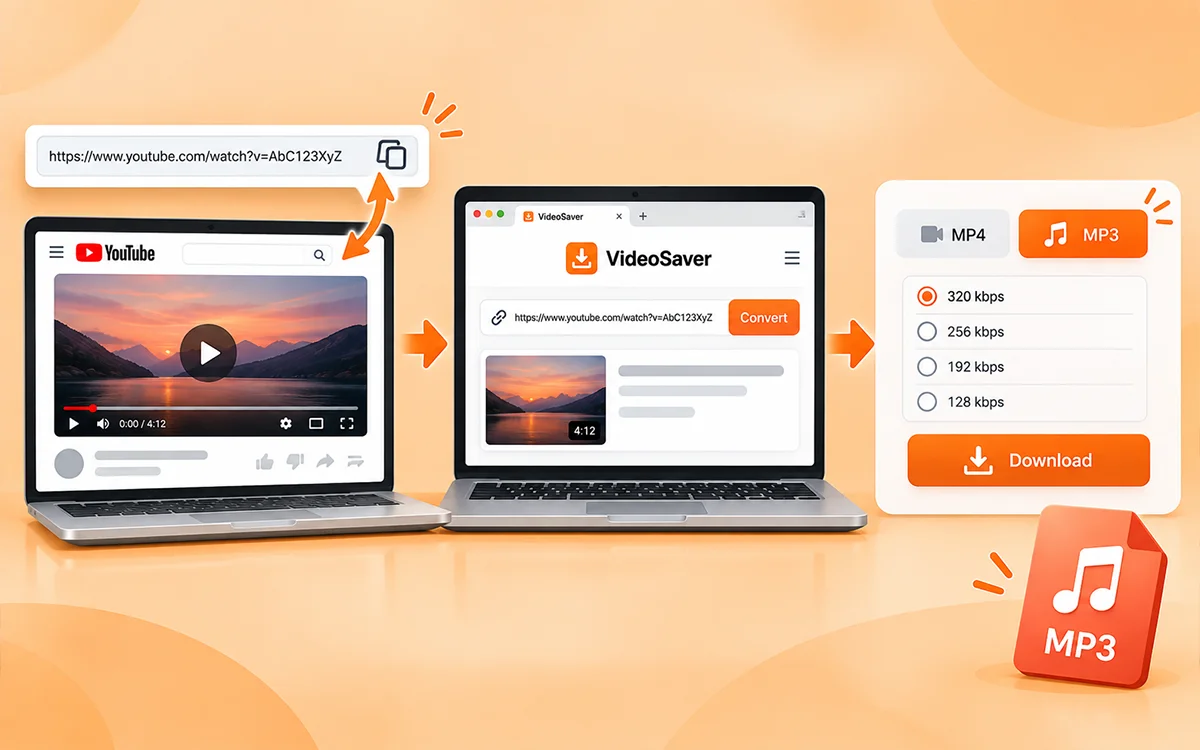
For the easiest conversion of video into an MP3 file, the VideoSaver website is the swift and easiest method. To start, open YouTube and find the video you want to convert. Now copy the URL of the video from the YouTube app or browser. The next thing you have to do is open the VideoSaver website in your browser and paste the link there. It will show you the information of the media after analyzing the link. You can choose MP3 to convert the video and select the available quality or bitrate.
The process can be summarized as these steps:
- Copy the YouTube video URL.
- Now paste the link into the input box.
- Select MP3 and your preferred quality and press the download button.
The web version is useful when you download the content occasionally. You do not have to install any software or extension.
Convert and Save Videos With the VideoSaver Android App
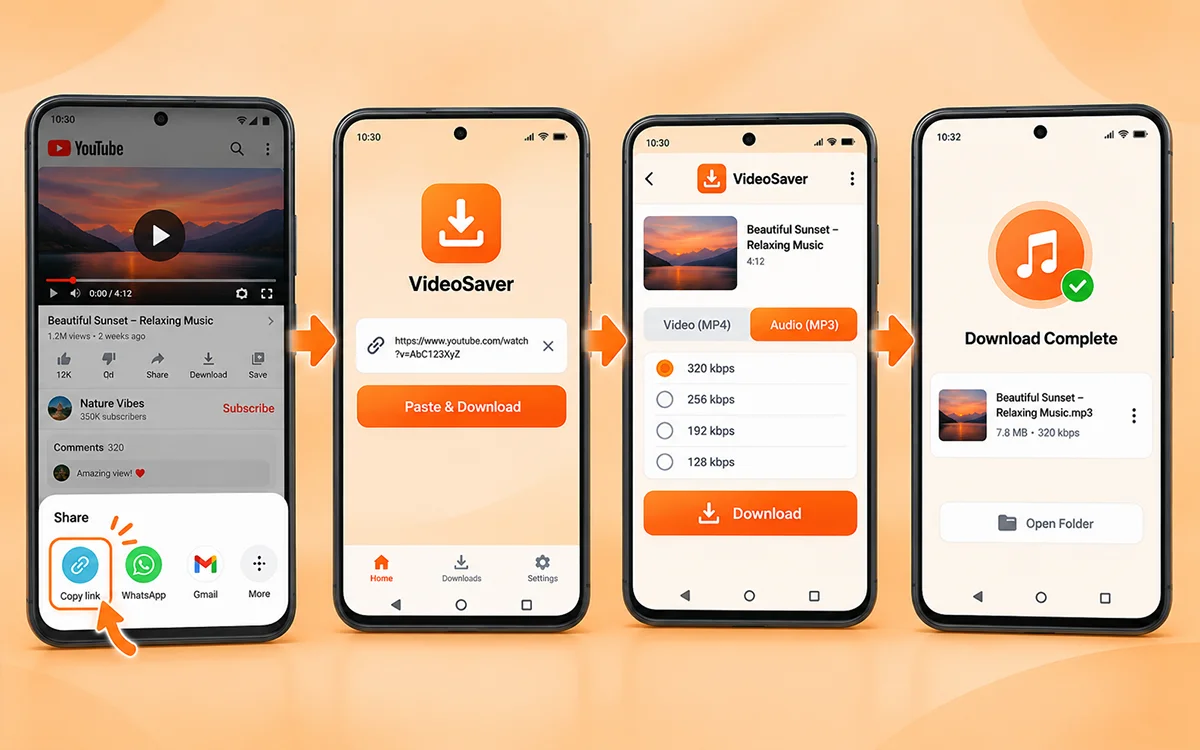
If you are someone who downloads content frequently, then the VideoSaver app is the best option for you. Free yourself from opening a browser every time you can use the app to download directly on your Android phone. This app supports both audio and video downloads. The general process is similar to the web.
- Firstly, open the video and click the share button to get the link to the video.
- Now open the VideSaver on your Android device and paste the link into the box of the app.
- To save the audio on your device, press the download button.
This way is generally useful for users who save content regularly and want an organized folder of their content.
Choosing the Right VideoSaver Option
VideoSaver’s three platforms can be used for different purposes or needs. To choose the best way, below is the table to make the right decision.
| VideoSaver Platforms | Best For | Key Features |
|---|---|---|
| Web Downloader | YouTube and Other Supported Platforms | MP3/MP4, quality selection, playlist, no installation |
| Android App | Regular Mobile Downloads | Video or audio downloads, offline player, media saving feature |
| Google Extension | Convenient Browser Downloads for Supported Platforms | Quick browser access and multiple downloads |
Choose the Right MP3 Quality
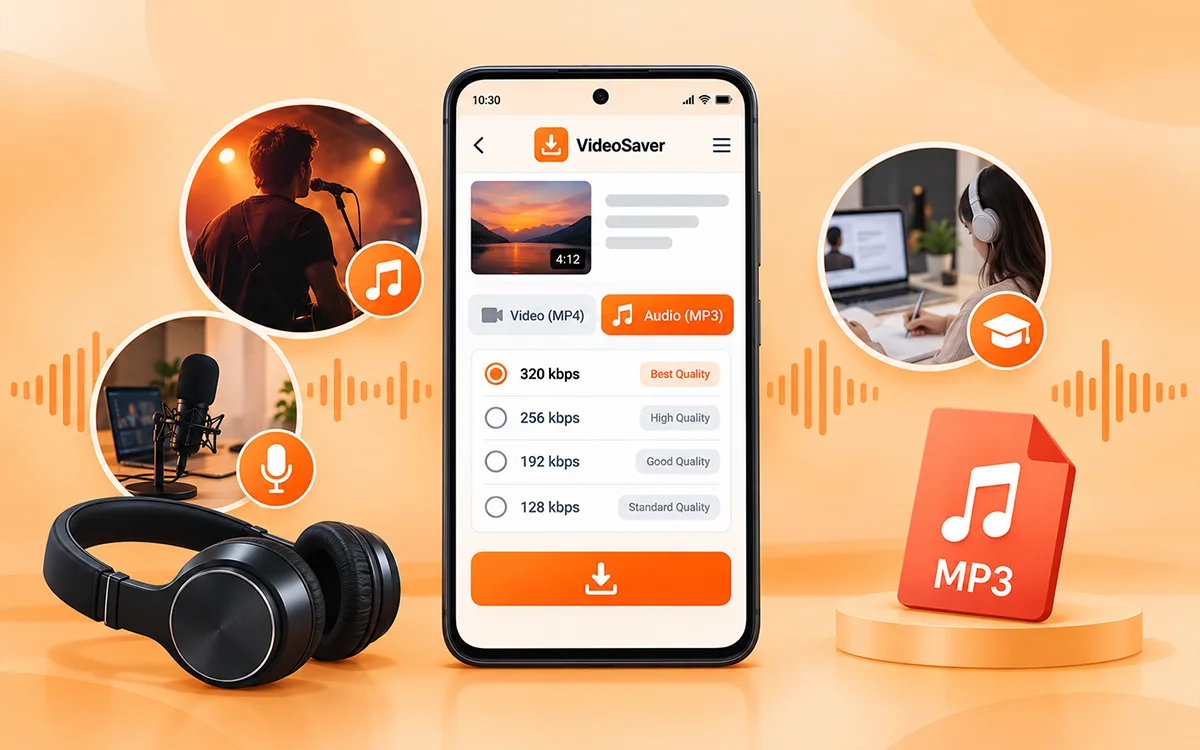
VideoSaver provides different audio quality options. The options depend on the source and available media. Choosing the right quality depends on what you are downloading and how you plan to use the content. For content such as podcasts, interviews, and lectures, a moderate bitrate can give you a clear quality of audio. You can choose higher quality options for music downloads. Always keep in mind that increasing the bitrate will not restore audio details when originally missing from the original source. The quality of the original video remains an important factor.
How Does YouTube Premium Work?
If your goal is to only listen to video without an internet connection, you do not need to create an MP3 at all. YouTube Premium provides official offline playback and background listening in supported situations. But remember, official playback within YouTube is different from an MP3 file. If you specifically need an audio file that you need to store or play independently, you need to consider whether you have the necessary copyrights and permission to save the video.
Difference between Youtube’s Terms of Services and Copyright law
Youtube’s Terms of Services are a private agreement that puts restrictions on downloading or converting content without any permission. Copyright law is separate from ToS. It protects creators and may apply exceptions such as fair use. If you convert copyrighted video MP3 without permission it may exploit copyright. Always make sure whether the content is legally available for downloads or covered by a valid exception.
Frequently Asked Questions
With VideoSaver, can I convert YouTube to an MP3 file?
Yes. You can use the VideoSaver web and Android app to convert a YouTube video into an MP3 file.
Am I required to install any software to convert the file?
No. You do not need to install any software to convert the video into MP3. You can use the web downloader or a dedicated app for quick and easy downloads.
Is there a VideoSaver app?
Yes. VideoSaver provides you with an Android app. Install the app from the Play Store and start your downloads to access content offline.
What audio quality can I choose when converting to MP3?
The available audio quality depends on the source of the video and the options available when you save. Higher quality audio results in larger files and vice versa.
Why do some downloaded MP3 files have bad sound?
There can be several reasons your saved file sounds bad. It can be because of poor source quality, excessive compression, low bitrate, or the original video may already contain compressed audio.
Can I convert private YouTube videos to MP3?
No. Private or restricted content cannot be downloaded without appropriate access and permission. VideoSaver can only download the videos and audio that are legally allowed to be downloaded.
Where does VideoSaver save my downloaded content?
All of your downloaded files are saved in your default download folder. It will be there unless you change the location option.
How can I convert a YouTube video into MP3?
The process is very simple for you to follow. Copy the URL of the video, open VideoSaver’s YouTube downloader, and paste the link there. Then hit the download button to save the audio after choosing the quality you want.
Final Thoughts
It does not have to be complicated to convert a YouTube video to an MP3 file. With VideoSaver, you can download the content with the browser. Copy the link to the video and paste it into the browser. The VideoSaver mobile app is the dedicated platform for regular Android users. The Chrome extension offers convenient access for supported platforms. Specifically for YouTube, the web downloader is the appropriate option because of Chrome’s restriction on YouTube downloading. As always, you have all the necessary rights to download and use the content. VideoSaver provides a straightforward way to save and access videos and audio offline.