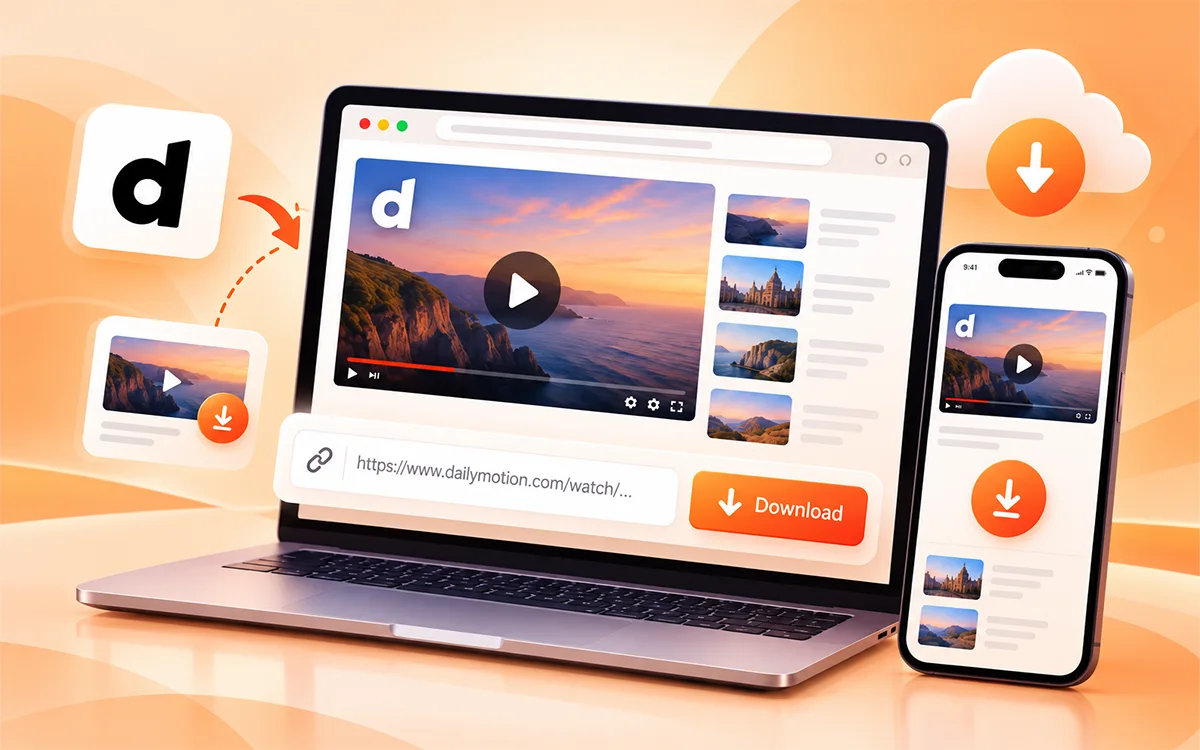
Dailymotion provides a variety of content, such as entertainment, sports, news, and education. If you would like to know how to download Dailymotion videos to watch offline, then VideoSaver can assist in making this process easy. All you have to do is copy the video's URL, paste it into the online downloader that we provide, and choose one of the available formats.
You can download videos from Daily Motion directly into your web browser on mobile devices (smartphones, tablets) and computers (Windows, MacOS, and Linux), with no additional software required. This guide will show you how to use VideoSaver, select from the options available for video quality/format, and download the videos you wish to view when you are offline.
Why Do Users Download Dailymotion Videos?
While streaming videos online is easy, it might not be possible. Watching online videos can be challenging due to slow internet, poor cell connectivity, or traveling in areas with no cell reception.
When you save a video from Dailymotion, you will be able to access your favorite video whenever you want. Students can store educational videos for later viewing, professionals can save educational videos as reference material, and viewers can save useful videos for offline use.
Some of the most common reasons why users save online videos are:
-
Viewing content on a trip or on an airplane
-
Not streaming the same video again (saving mobile data)
-
Ensuring tutorials and guides are available
-
Practicing important information later
-
Prevention of duplicate searches for the same video
-
Watching while the net connection is down
A good downloader provides more control to the user over how and when he can access online content.
How Does the Dailymotion Video Downloader Work?
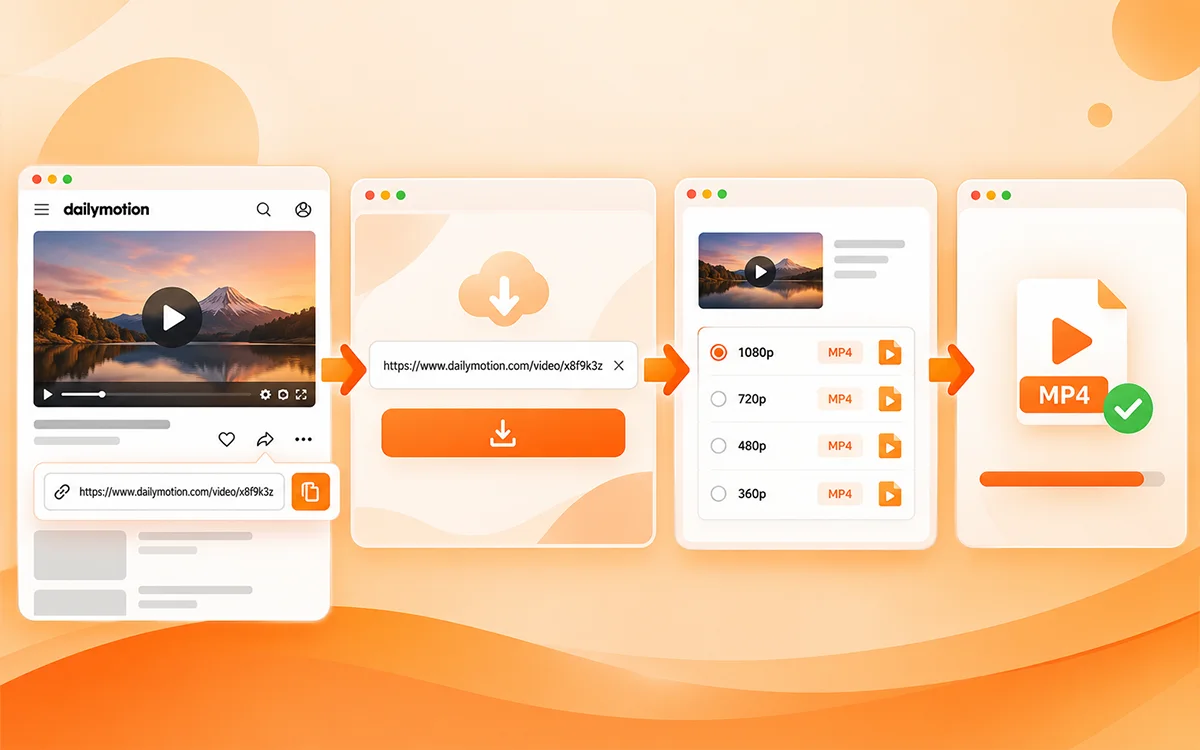
Simple URL-based downloading process used by the downloader. You enter the Dailymotion link to the video, and the system looks at the download options available for that content.
The first step is to locate a video on Dailymotion and copy its URL. After adding the link, the downloader analyzes the video info and gives available options within a few seconds.
The entire process consists of:
-
Copy the link of the video on Dailymotion.
-
Paste the link in the downloader.
-
Select the quality and the format you want.
-
Save the file.
Dailymotion doesn't provide videos in MP4 format. The downloader takes the streams of the video and merges them into one single MP4 file. Thus, you can download and play the file on any device you want.
This way you can eliminate the extra steps and make downloading easier for both novices and avid users.
How to Download Dailymotion Videos Using VideoSaver
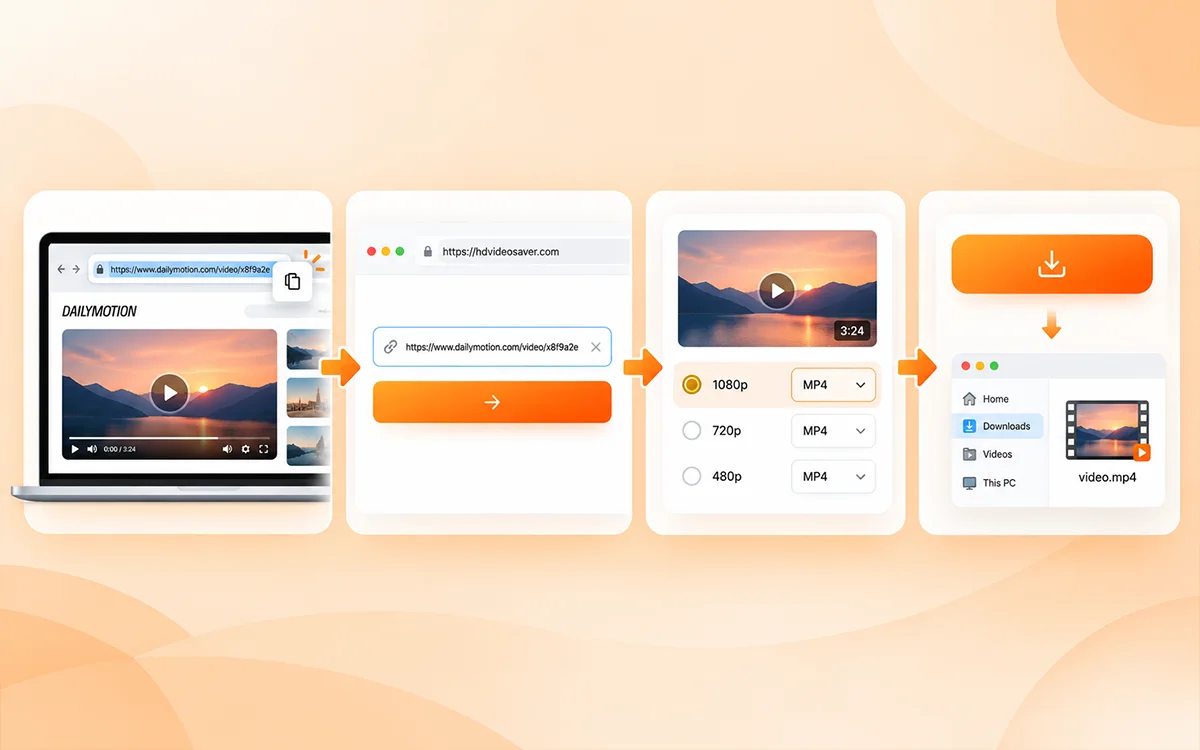
Downloading Dailymotion videos with VideoSaver takes just a few simple steps.
Step 1: Find and Copy the Video URL
Find the video you want to view on Dailymotion first. Copy the video’s URL either by directly copying it from the browser’s address bar or by selecting “Share” and then “Copy Link.”
Step 2: Paste the Link
Visit the Dailymotion Video Downloader and place the URL you have just copied in the appropriate box.
Step 3: Select Quality and Format
Select the video quality and format you would like to use from those offered. Your choice of a free download will provide you with video at a maximum resolution of 480p; however, if you have selected a premium option, it is possible that your resolution will be higher (e.g., 720p, 1080p, or 4K).
Step 4: Download the Video
The Download button is used to download the video onto your computer, typically into the "Downloads" folder.
Dailymotion Video Downloader Compared With Traditional Methods
The traditional downloading procedure has its drawbacks. There are some software installations to be done, and some have a limited format or complex settings. Many of these problems are eliminated by a browser-based solution.
| Feature | Online Downloader | Traditional Software |
|---|---|---|
| Installation | Not required | Usually required |
| Browser access | Available | Limited |
| Device compatibility | Mobile and desktop support | Depends on the software |
| MP4 downloads | Available | Depends on the program |
| Audio extraction | MP3 and M4A available | May need extra tools |
| Quality selection | Available | Varies |
| Watermark | None added by the tool | Often added |
| Secure HTTPS | Yes | Not always |
| Ease of use | Copy, paste, download | Often extra steps |
| Languages | 12 supported | Usually limited |
| Speed | A few seconds to process | Can be slow |
Download Dailymotion Videos on Android Devices
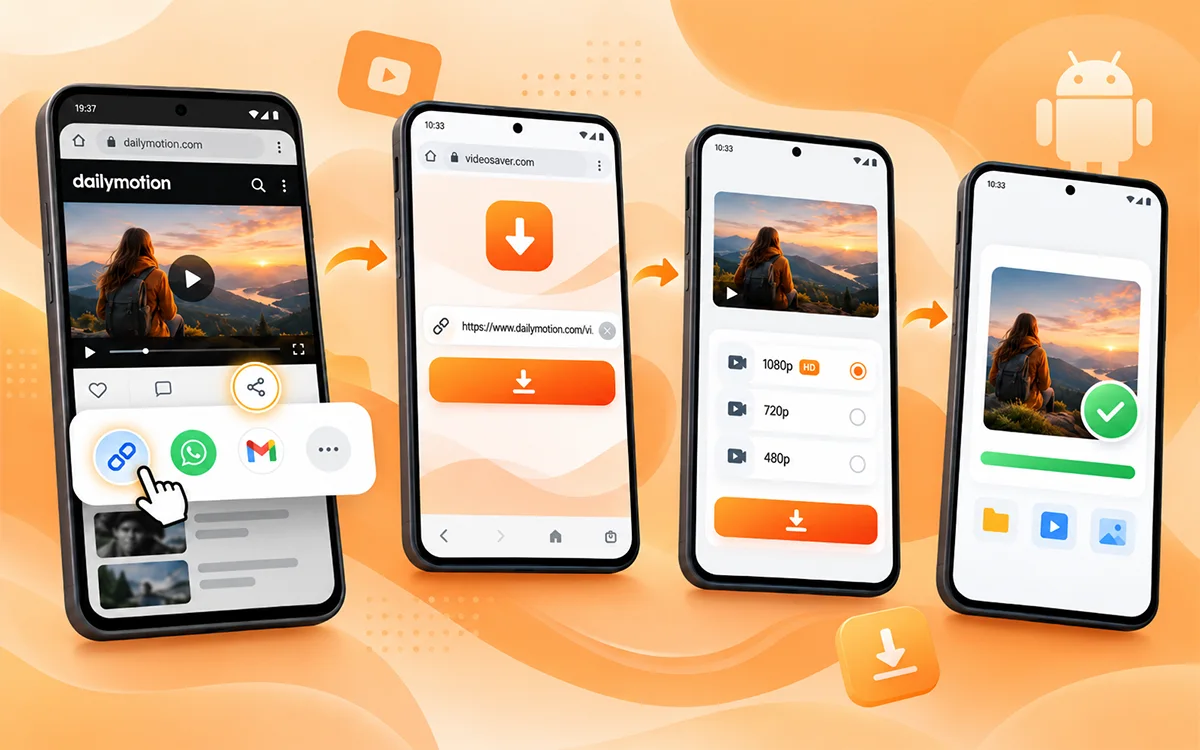
The downloader is smooth on Android phones and tablets as a result of a cellular browser, be it Google Chrome, Samsung Internet, or Firefox.
Open Dailymotion, click on the Share button below the video, and copy the link, then paste the link into the downloader. Choose the quality you want and tap Download to download it straight to your device. No additional application required. If you prefer an app, you can also get the VideoSaver app from the Play Store.
Download Dailymotion Videos on iPhone and iPad
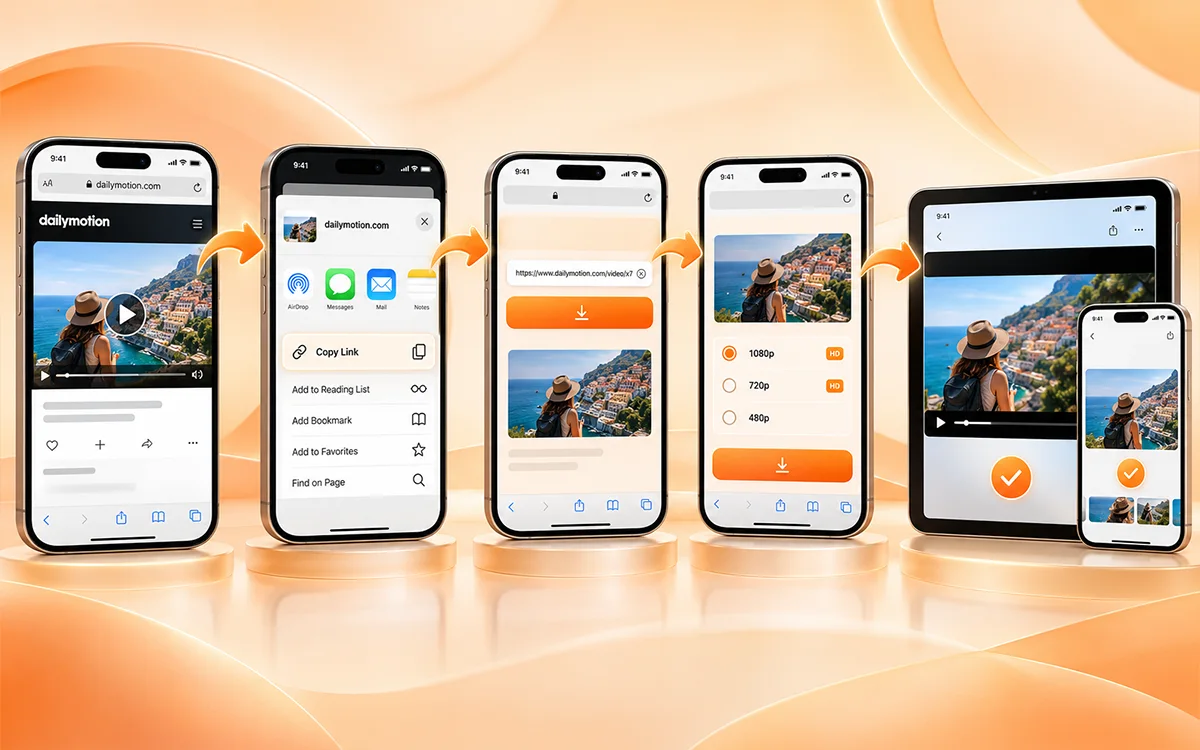
Dailymotion videos can also be saved by iPhone and iPad users via their browser.
It's an easy process. Open the video, select Share, and select Copy link. Copy and paste in the downloader, select your desired resolution, and click Download. Since it's all online, Apple users don't have to install any additional extensions or software.
Download Dailymotion Videos on Windows, macOS, and Linux
The downloader performs well on desktop devices since you can access it directly from your browser. You can use it with Windows, Mac OS, or Linux, and you don't need to install a separate desktop application.
To download a Dailymotion video to a computer, navigate to the video page, click on Share, and copy the link. Copy and paste it into the downloader, choose the quality you need, and click the Download button beside the input box.
This is a popular approach for desktop users, as it ensures files are saved directly on their computer, and downloaded content is more manageable.
Choose the Right Video Quality Before Downloading
The quality of the videos is an important factor when saving online content. A higher resolution provides better visuals but also a larger file size. It's up to your device, storage, and intentions for viewing the video.
It has resolutions ranging from 144p up to 4K depending on the original source:
-
480p for smaller-sized files and quicker download speeds (available in the free plan)
-
720p for a balance between quality and storage usage (premium)
-
1080p HD for better viewing clarity (premium)
-
When available with the original video source (premium), 4K
In other words, if you are saving a tutorial on your smartphone, you might want to save a smaller size, whereas if you're watching it on a bigger screen, you might opt for a higher resolution.
The free plan does not require you to log in and gives you unlimited downloads, up to 480p. If you're using a higher resolution (above 480p), you can log in and use premium plan credits.
Supported Video and Audio Formats
VideoSaver will support a variety of different formats to save either video or audio based upon availability.
MP4 Video Format
Because most mobile devices (such as smart phones and tablet computers), desktop computers, and video playback systems support MP4, it makes a logical format to use when downloading videos.
MP3 Audio Format
With MP3, you can download audio files of your favorite video content (interviews, tutorials, music) to listen to offline.
M4A Audio Format
M4A offers a second way to store audio, providing another file type that can be used on many different types of music players and other devices.
Supported Platforms Available Through the Tool
This downloader will work on multiple platforms, not just Dailymotion. With it, you will be able to manage a lot of different types of content on the Internet.
Supported platforms include:
There's also a separate WhatsApp status saver if you'd like to save statuses from your chats too. Multi-platform support means you won't have to find a different downloader to use on each website.
Secure and Private Download Experience
When using any online tool, privacy is important. Users desire a service that would process links without requesting any extra personal information.
VideoSaver focuses on a secure experience with features such as:
-
HTTPS encrypted connection
-
There is no downloaded or search history
-
Open access for basic use, requiring no login
-
No personal information gathered during the free downloads
This makes it easy and private. You can read more in the Privacy Policy
Select the plan that best fits your needs. If you're viewing the video offline from time to time, then the free plan is plenty for most of the time. If you want to enjoy more crisp images on a big screen, premium is a better choice.
Tips for Better Dailymotion Downloads
Here are a few tips to enhance your downloading experience:
-
Before pasting the Dailymotion video URL into the downloader, be sure to copy the entire URL to identify the video content to be downloaded.
-
Use the highest quality you can get for the best visuals (but remember that anything over 480p requires the premium plan, and files will be larger).
-
For maximum cross-platform support, use MP4 for iPhone, Android, Mac, and desktop.
-
Ensure you have a strong internet connection and ensure that you have adequate storage on your device.
-
If the download doesn't start after you paste the link, refresh the page and try again.
-
Download videos for personal use and respect creator rights.
Common Problems When Downloading Dailymotion Videos
Processing problems with a video link may occur. With a few simple checks, most problems can be solved.
| Problem | Solution |
|---|---|
| The video link does not work | Copy the complete URL again |
| The download option is unavailable | Check that the video is still available |
| Limited quality options | Available choices depend on the original source and your plan |
| Download does not start | Refresh the page and try again |
| Download stops | Check your internet connection and storage |
| Wrong video selected | Confirm it with the preview before downloading |
| Player does not recognize the file | Update your player or try another one, because some devices lack the needed media codecs |
If the problem continues, visit the Help Center or contact the team.
Copyright and Creator Rights
Videos on Dailymotion can be subject to copyright, trademark, privacy rights and/or platform terms. Unless specified, a video that is posted publicly online does not automatically provide you with rights to reuse, repost, edit, or sell it. Verify the source and only save content where appropriate. To get details, you can check out the Terms of Service.
Final Thoughts
Video downloading tools let you save online videos quickly. VideoSaver is a reliable Dailymotion video downloading tool. With this tool, you can download Dailymotion videos and sounds through a URL. It is compatible with multiple devices and provides a range of qualities and formats. Moreover, it is ad-free and watermark-free. Therefore, video download management is made easy.
You've now learned how to download dailymotion videos online. Go to the VideoSaver, copy your video link, select the option you have and download your video.
Want to save other applications' videos as well? Visit the VideoSaver and try out the rest of the free tools. Enjoy downloading and always respect the rights of the creator.
Frequently Asked Questions
How to download Dailymotion videos online?
Open Dailymotion video, copy the URL, paste it in the downloader, choose the Video Quality and Format, and click Download.
Do I need to install software to download Dailymotion videos?
No. Downloader runs in your browser, no extra applications or extensions required.
Is it possible to download Dailymotion videos on my mobile phone?
Yes. It is compatible with Android phones, iPhones, Android tablets, and desktop devices. There is also a Video Saver app for Android at the Play Store.
What are the formats of downloaded files?
MP4 for videos, and MP3 and M4A for audio.
Is it possible to download Dailymotion videos in HD?
Yes, but HD and 4K are premium features and will be based on the video source. The free plan has a maximum resolution of 480p.
Is there a free option available?
Yes. It is free with no sign-in and offers unlimited downloads for a max of 480p. Premium offers the quality with credits, and new users can receive 10 free credits to sign up with the site.
May I download unlimited videos from Dailymotion?
Yes, it is possible to get unlimited 480p video downloads free of charge. One credit per video for higher quality.
Is it possible to get audio from a Dailymotion video?
Yes. Just copy the link, paste it into the downloader and choose MP3 (or M4A) to download only the music.
Is the tool monitoring the downloads I make?
No. It has no history of downloads or searches and basic use requires no login.
Are you able to save meme GIFs?
Yes, GIFs can be converted to MP4 and reacted or used as a meme.
Is it legal to download Dailymotion videos online?
It's okay to download content for personal use, just make sure to respect the copyright of content creators and the platform's terms.
Which Dailymotion Video Downloader is the best?
The best one is the tool that is fast, works in the browser, supports a few formats and respects privacy. The core of VideoSaver is just these points.