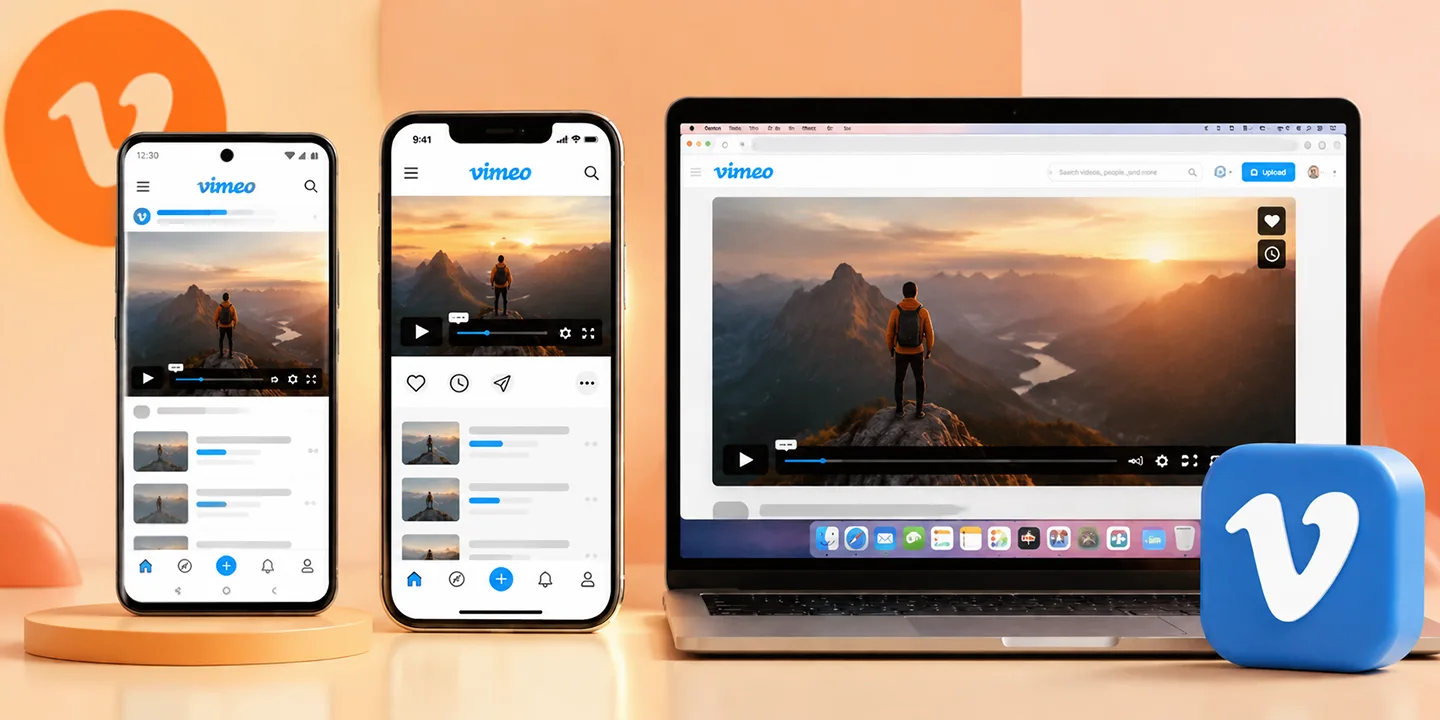
Looking for how to download a private Vimeo video in 2026? The process will depend upon the existing Vimeo account or video. If you can view the private video on your authorized account or video access, then you may be able to download it. Vimeo allows creators to restrict access to their videos. Some videos may be restricted to a particular domain, private, password protected, hidden, or embedded on another site. These settings impact access to and downloading of the video.
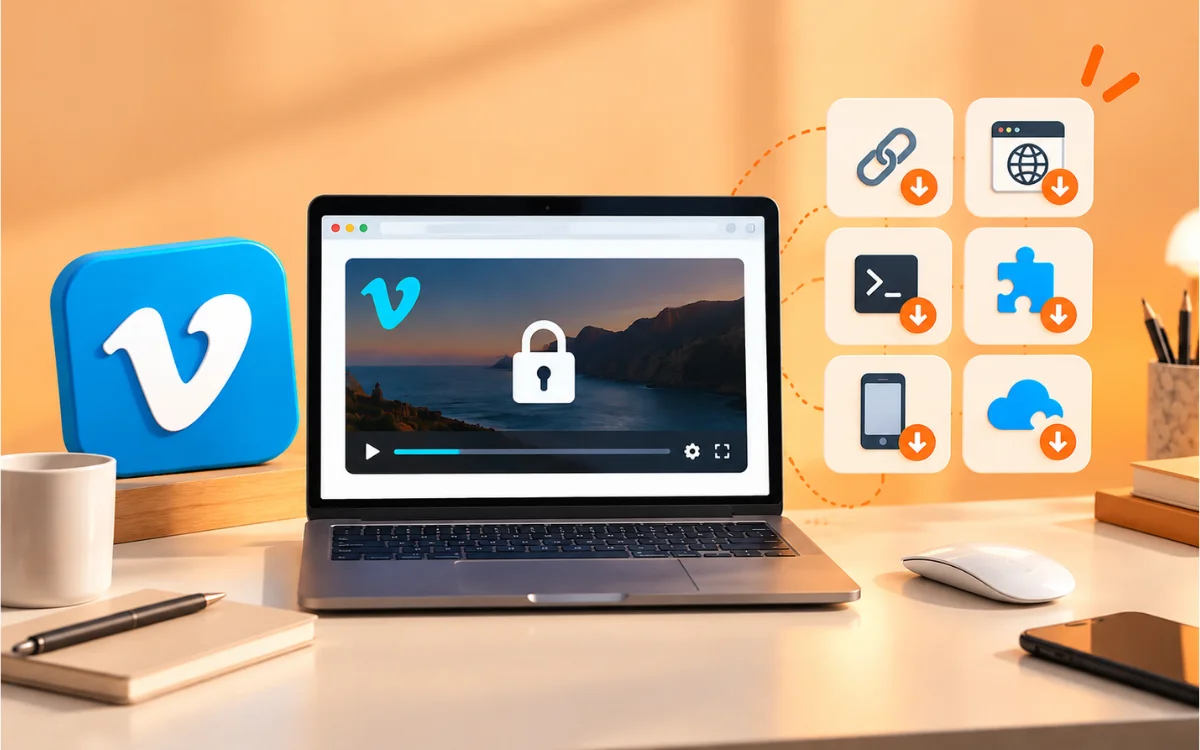
If you are able to find a video on Vimeo, then you could use Video Saver's Vimeo downloader to download it. It can't skip passwords or privacy settings, and there are no private profiles in VideoSaver. Let's take a look at 6 methods to download a private Vimeo video.
Can You Download a Private Vimeo Video?
Yes, if you have a private Vimeo account or video and are allowed to download the video. If the video is viewable and Vimeo provides a download link, use the official Vimeo link to download it. Also, you can download the video using VideoSaver if you have been authorized to access the video.
Note: VideoSaver can't access private Vimeo profiles and can't skip passwords or privacy settings.
Which Method Should You Use
Check the table below and select the one that is best suited for you.
| Method | Best For | Difficulty | Limitation |
|---|---|---|---|
| Vimeo Official Download | Your own or authorized videos | Easy | Only available when Vimeo provides download access |
| VideoSaver Online Downloader | Private Vimeo videos you already have access to | Easy | When you already have access to the private account or video, it does not provide access to private profiles or bypass passwords or privacy restrictions |
| VideoSaver Browser Extension | Frequent public downloads | Easy | Requires browser extension |
| VideoSaver Android App | Public downloads on Android | Easy | Android only |
| Official Creator Page | Videos the creator makes available | Easy | Depends on creator |
| Yt-dlp | Advanced public downloads | Advanced | Requires setup |
If the video is private, be sure to have permission to view and download the video. VideoSaver is a simple tool to save Vimeo videos without entering your Vimeo login information.
Find the Correct Vimeo Video Link First
One of the main reasons for a download failing is due to a wrong link. A standard Vimeo link is something akin to this.
- https://vimeo.com/123456789
This is offered through the link to Vimeo in the video; under the video player, click the Share button. You can use the link provided in your downloader. You can always use the Share button, but the URL in your web browser may not be the correct link.
Public vs. Private vs. Password-Protected Vimeo Videos
Not every video on Vimeo is the same. Let's take it apart...
| Video Type | How It Works | Can VideoSaver Download It |
|---|---|---|
| Public | Anyone with the link can watch it. | Yes |
| Private | Only certain accounts can view it. If you follow the account or have access to the video or account, you may be able to view it. | Yes, if you have access and permission to download it |
| Password Protected | If you already have access to the Vimeo account or the video | Yes |
| Hidden | Not shown in search, but the link still works. | Yes, if the link is shared with you |
| Domain Restricted | Only plays on approved sites. | No |
The creator has chosen to limit access to saving the video if it is password protected or has private access. It's best to request a copy from the creator.
Why Is My Vimeo Video Not Downloading
There are some simple reasons why a video may not download on Vimeo. It could be private, password protected, or blocked on other websites. Check the source of the link that you copied it from. Or, the creator could have disabled download. Use an existing Vimeo account or video to try to log in and view the private Vimeo video. If you can see the video, then try downloading it using VideoSaver. However, if you are not able to access it, VideoSaver isn't able to access private profiles or bypass passwords or privacy barriers.
If it plays but fails to download, make sure to copy the entire link from the Share button. However, if the video is private or password-protected, then the VideoSaver cannot overcome it.
6 Ways to Download a Private Vimeo Video
Method 1: Use the VideoSaver Online Downloader
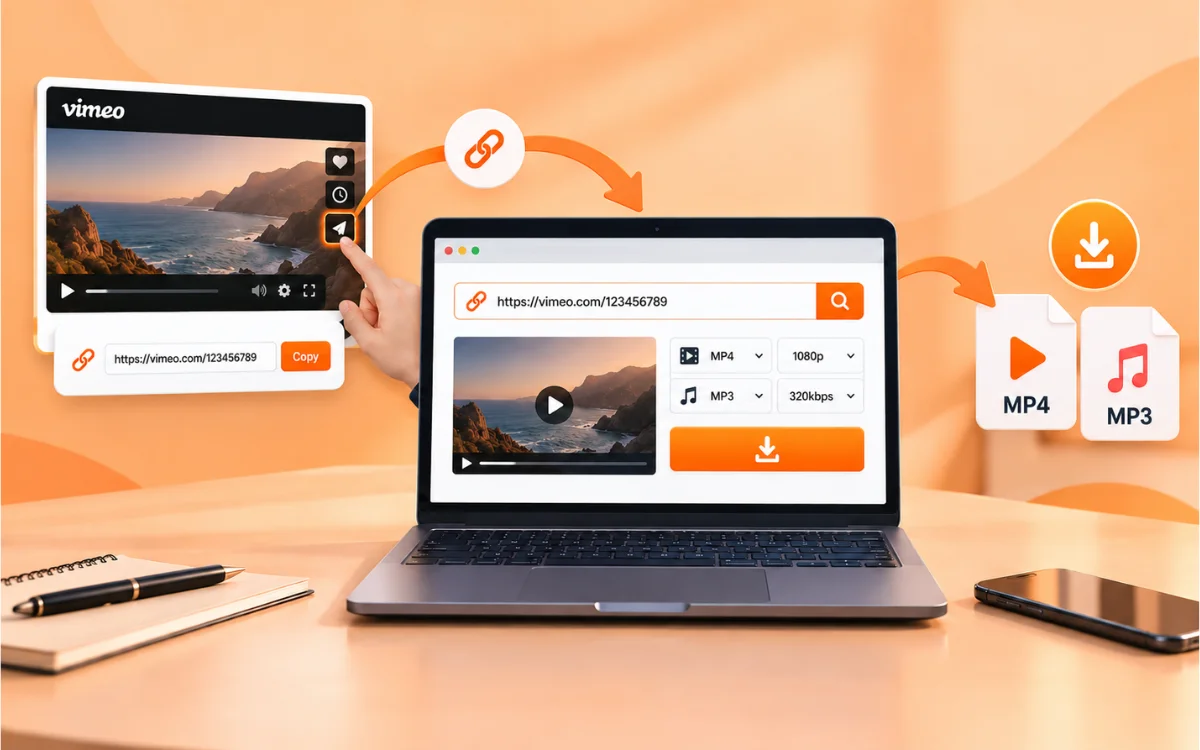
Quickest method to download a private Vimeo video. There is no need to install anything.
Steps to follow.
-
Open the video on Vimeo and tap on Share and copy the link.
-
Enter the link into the search box at hdVideoSaver.com. Press and hold to see the video preview.
-
Choose the kind of video or audio file (MP4 or MP3) and quality.
-
Click on DOWNLOAD to save the file on your device.
-
Download VideoSaver is free and will not need you to log in to it, up to 480p.
-
Log in to unlock premium features and extra credits if you want a higher quality (HD or 4K).
Method 2: Use the VideoSaver Browser Extension
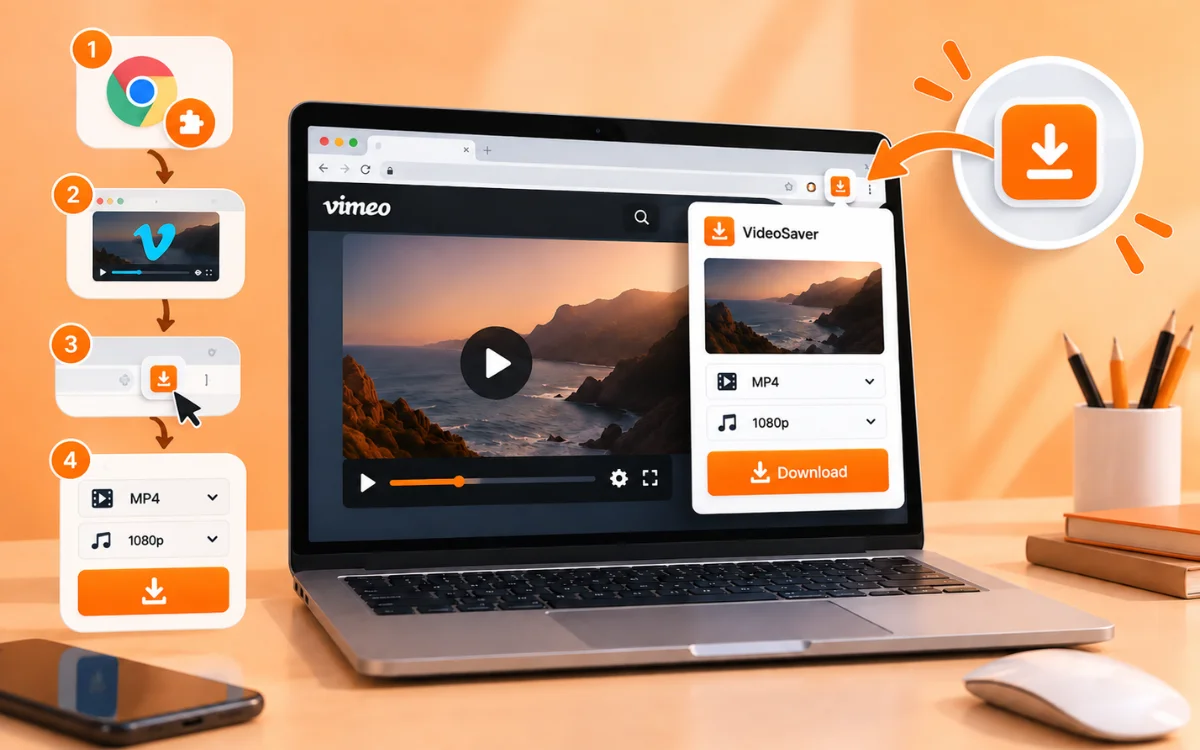
If you're someone who watches a lot of videos on Vimeo and wants to download them with a one-click download in your browser, a browser extension is the ideal solution.
-
Install the VideoSaver add-on to your browser.
-
Open the private Vimeo video that you already have access to and play the video.
-
Click on the extension button of your toolbar.
-
Choose format and quality and save.
The extension is valid for simple public access videos.
Method 3: Use the VideoSaver Android App
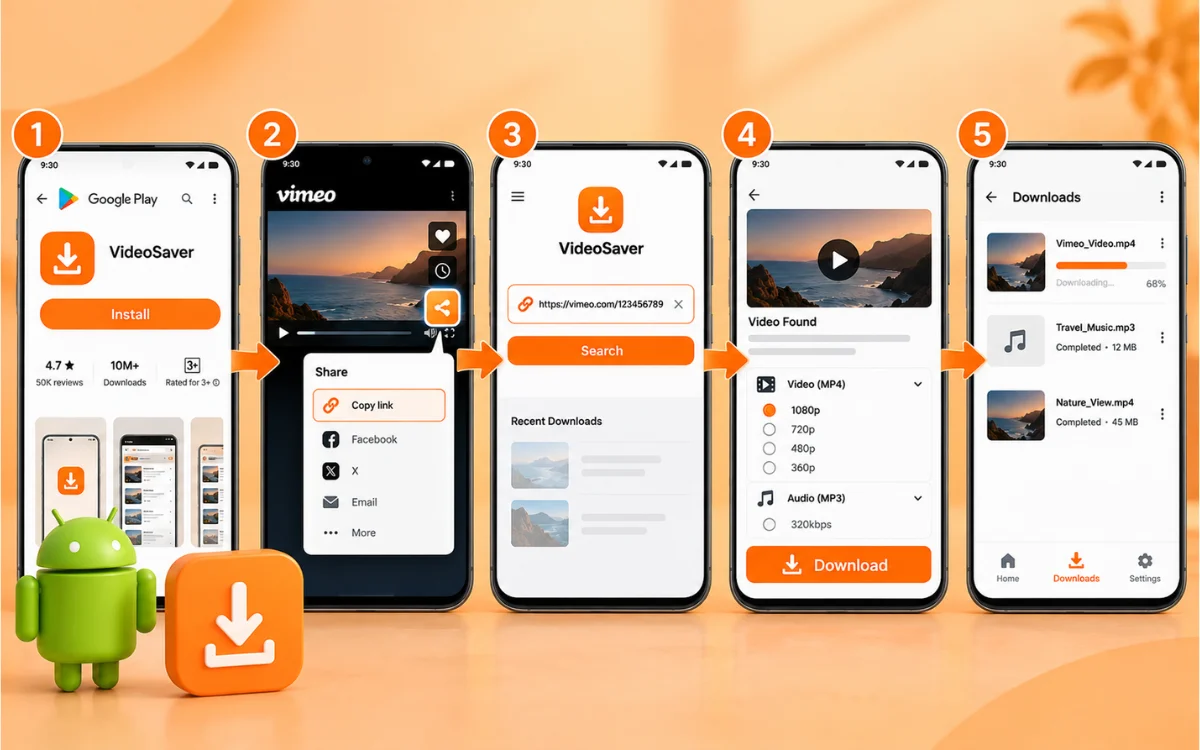
You can download Vimeo videos without using a browser and keep all of your downloads in one place.
-
Download the VideoSaver app from the Play Store.
-
Click on Share and Copy Link. Open up the VideoSaver app and type in the video link in the search field.
-
The app will search for the video in a couple of seconds and show you a preview of it.
-
Choose the video (MP4) or audio (MP3) choice and then the quality.
-
Tap Download, and check the file on the Progress page of the app.
After downloading, it will be displayed in the My File page of the app, where you can upload your videos in an organized manner and easily access them.
Method 4: Use the Vimeo Official Download Option
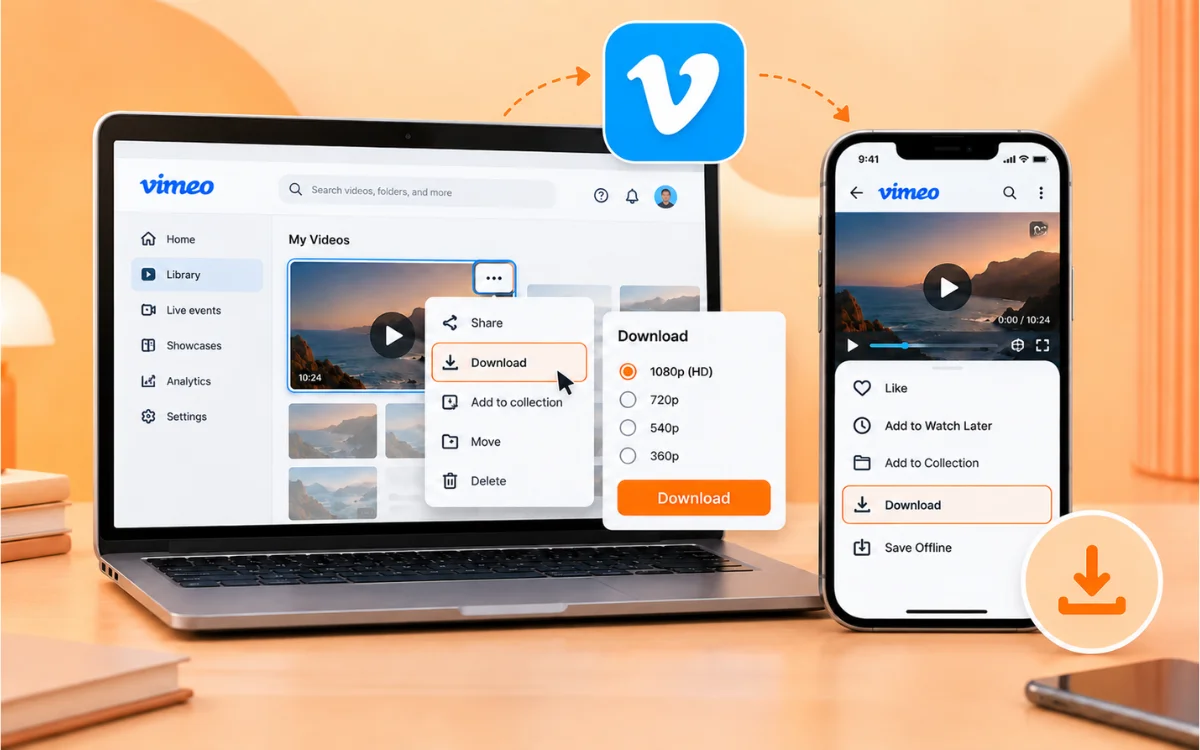
If the video was uploaded by you or the uploader has set it to allow downloads, this is the easiest option. Does not require additional tools.
On a Computer
Log in to your Vimeo account and check out your Video Library. Click on the video and watch the menu! If it is possible to download, choose your quality and download.
On Mobile
Sign up for the Vimeo app. Watch the video and view the menu. Download or save offline (as applicable) in your account and app version.
If not available in that video, then find another video where you can access it.
Method 5: Use Yt-dlp for Advanced Downloads
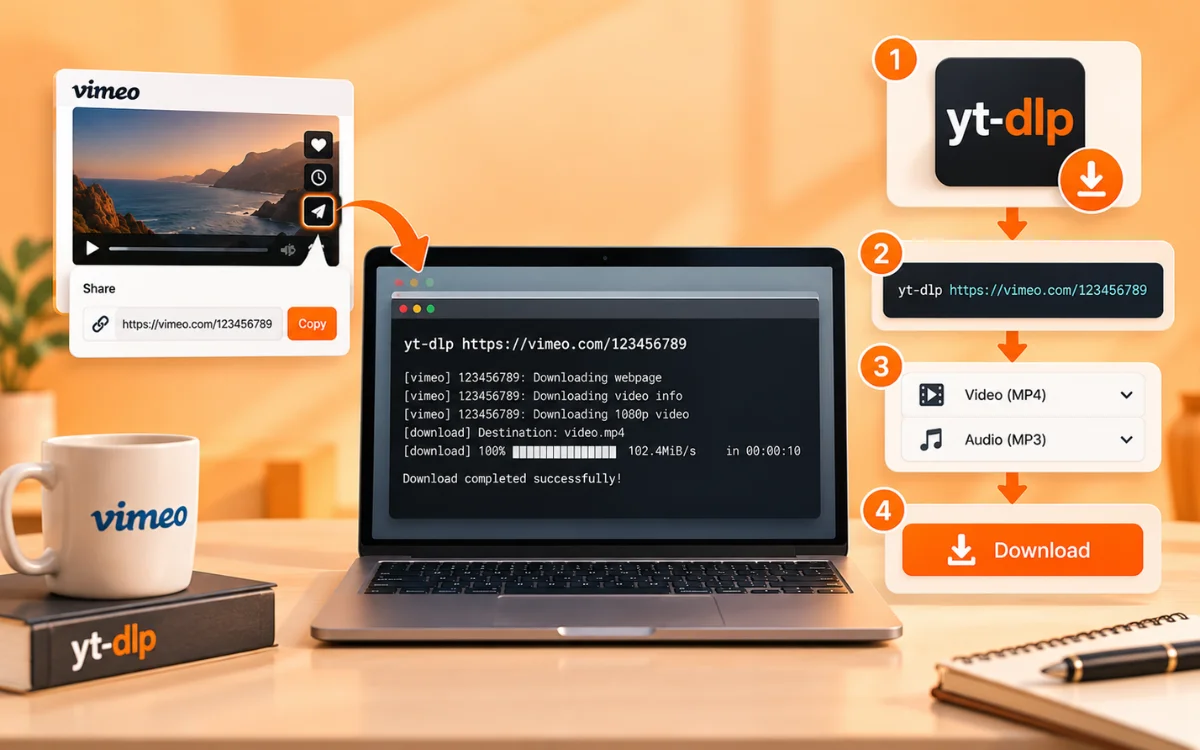
Yt-dlp is a free command-line utility that supports a vast number of video platforms, including Vimeo. It's good for users who are familiar with using a terminal or command prompt and wish to have a greater level of control over a public video download.
What you need.
Any computer running Windows, Mac, or Linux OS with yt-dlp installed. Some videos on Vimeo are available in both video and audio formats and must be combined, requiring the use of ffmpeg. The right public link to Vimeo.
This is a very simple command to download a private Vimeo video:
- yt-dlp --merge-output-format mp4 VIMEO_VIDEO_URL
Use the actual Vimeo URL for the video, instead of VIMEO_VIDEO_URL. Yt-dlp is most suitable for videos that you have complete access to. If it doesn't download, ensure that the video will play in your browser and that you are using the latest version of the tool.
For Password-Protected Videos
Use the --video-password flag to play a video with a valid password that was authorized to be played:
- yt-dlp --video-password "your_password" --merge-output-format mp4 "VIMEO_URL"
Use your_password as your valid password and VIMEO_URL as the video URL from Vimeo.
For Domain-Restricted or Embedded Videos
You can pass the name of the site that you are embedding the video in to the referer flag:
- yt-dlp --referer "https://course-website.com" --merge-output-format mp4 "VIMEO_URL"
Change the course-website.com to the authorized website URL and VIMEO_URL to the Vimeo video link.
If yt-dlp still returns an error (e.g., 403 Forbidden), make sure you are able to play the video, that the link is functioning in your browser, and that you are downloading the most recent version of yt-dlp.
Method 6: Check for an Official Creator or Download Page
If possible, attempt to get the file from the creator. This is a very common thing that happens in business videos, portfolios, and public documents.
Look for the name of the video, the creator's name, or the company name on the creator's website for a Media, Resources, or Downloads section.
If the creator does not have a download button on the Vimeo video player, they may have a download page. This is typically the safest way to do so, as the creator has made it available for this purpose.
How to Download a Private Vimeo Video Without a Download Button
If there is no download button on a private Vimeo video, the creator might have turned off the download feature or may have limited access to the video. First, ensure that you have the right to access and save the video.
If you have access to the video, copy the Vimeo link and paste it into a compatible downloader like VideoSaver. Choose the desired format and quality and begin downloading.
If there is no download button on a video that is password-protected or otherwise restricted from downloading, it could indicate that the creator has restricted downloading access. In such cases, you might have to ask for permission from the creator or enable download before you can save the video.
VideoSaver Free vs. Premium Plan
Not sure which plan is suitable for you. Here are some of the advantages of each.
| Feature | Free Plan | Premium Plan |
|---|---|---|
| Login required | No | Yes |
| Maximum video quality | Up to 480p | HD, 4K, and above when available |
| Downloads | Unlimited at 480p | 10 free credits on signup, 1 credit per download |
| Ads | May show ads | No ads |
| Web downloader | Yes | Yes |
| Browser extension | Yes | Yes |
| Android app | Yes | Yes |
Why Choose VideoSaver for Vimeo Downloads
No watermark. Your file is the same as the original (no logo or username added). MP4 / MP3 support. Save all the video or extract the audio file from the video. Privacy first. VideoSaver doesn't ask for your Vimeo login and never stores your files on its servers.
Compatible with all devices. It's available for Android, iPhone, Mac, or browser extensions! Twelve languages. Available in English, Urdu, Hindi, Arabic, Spanish, and more. No sign-up is required to download for free. Be sure to copy and paste your link and download immediately.
How VideoSaver Protects Your Privacy
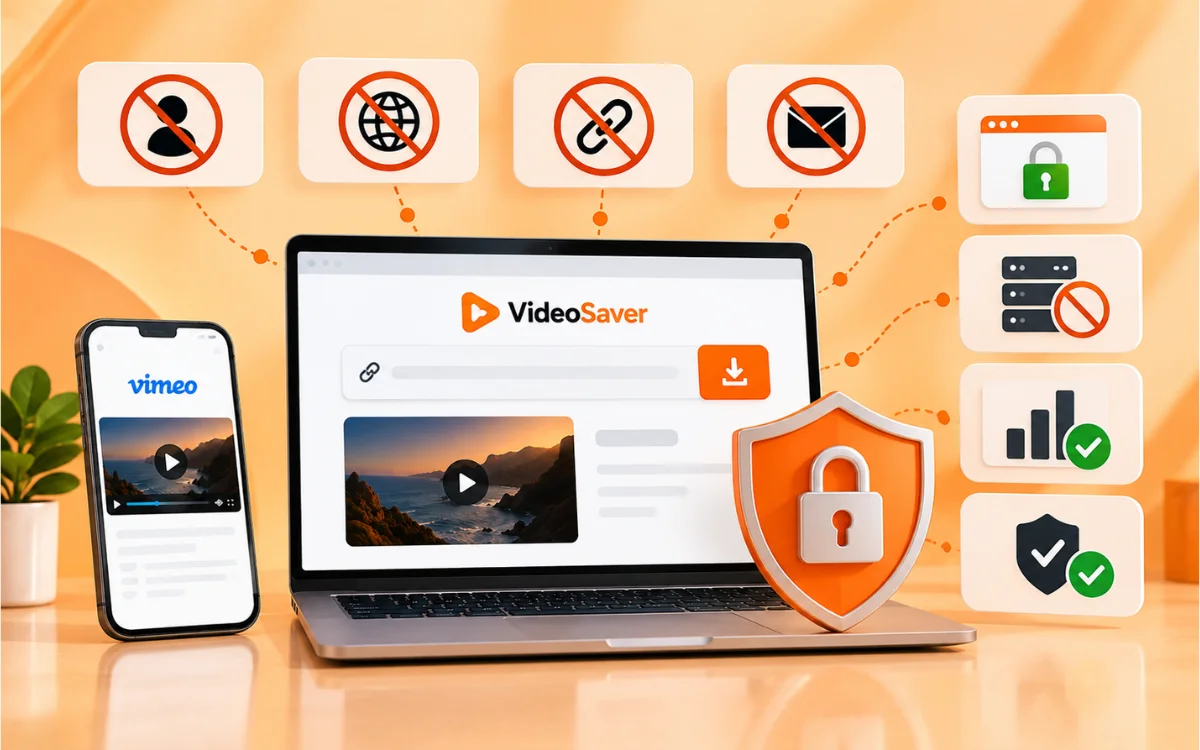
A lot of people are concerned about safety when it comes to an online downloader. What VideoSaver doesn't ask for. Vimeo's account ID and password. From your Internet searches or your IP address. The link to the videos that you download, or the video history. Names or email addresses of individuals. Let's see how VideoSaver will keep you safe. All connections are encrypted with HTTPS. Videos downloaded will not be saved on VideoSaver servers. Minimal data collection, basic data collection tools (analytics). VideoSaver is based on trusted privacy standards.
Common Problems and Fixes
| Problem | Likely Cause | What To Do |
|---|---|---|
| Video will not play | The video is private or password protected | Check your access first |
| Link does not work | An incomplete link was copied | Use the Share button to copy the full link |
| No download button | The creator turned off downloads | Ask the creator for a copy if the video is not public |
| Tool says unsupported | The link format is not recognized | Copy the link again using the Share button |
| Limited quality choices | The source video quality or your plan | Check your plan, or use the original upload quality as the limit |
| Download is slow | A weak connection or a busy server | Check your internet and try again |
Why Does My Downloaded Private Vimeo Video Have No Sound?
If you have downloaded a private Vimeo video without audio, the audio track may not have been downloaded. Try downloading the video again using the correct Vimeo URL. Also, review the original video to ensure that it includes an audio track.
When using VideoSaver, you should ensure that you provide the correct video URL and that you have uploaded an audio-supported video format. If the video is silent, the issue could be Vimeo's delivery system, rather than the downloader.
What to Do If a Vimeo Video Link Expires
Links and previews subject to change. If it fails to work again, go back to the Vimeo page and re-copy the link and paste it in VideoSaver again. If the video is deleted, the video might have been deleted by the video creator, or it could be private.
Downloading Multiple Private Vimeo Videos
Want to download multiple private Vimeo videos? You can process them one at a time by copying each video link and pasting it into VideoSaver. The videos on your list can be downloaded one by one, and they're free to download the videos at 480p using VideoSaver.
Safety Tips Before Downloading Vimeo Videos
Utilize a trusted private Vimeo video downloader like VideoSaver, and do not give your Vimeo username and/or password to a third-party video downloader. VideoSaver will not request your Vimeo login information. Before saving the private Vimeo video, be sure you have access rights to it and that you have the authorization of the video's creator or owner. Don't go to sites that request your Vimeo account information or to install new software to get a video. Don't use a downloader to bypass the video owner's password protection, privacy settings, or other video access restrictions. Please refrain from sharing, reposting, editing, or using a private Vimeo video without the owner's permission for any commercial use. Always observe privacy, copyright, and content rights of the video's creator when downloading and using Vimeo videos.
Quick Tips for Smooth Vimeo Downloads
With the Share button, always use the full link from Vimeo, as a partial link may cause problems. Pick the best one you can; the saved video will be more or less similar to the original. Save as MP4 (when possible), as no software is required to play on the iPhone, Android, Mac, and desktop.
Just to be safe, make sure that you have plenty of disk space before downloading long videos or big portfolios. If the tool doesn't get your link right away, refresh the page and try again.
Copyright and Creator Rights for Private Vimeo Videos
It is not enough to download a private Vimeo video to reuse or share it. The creator/copyright holder may still have restrictions on the use of the video.
When using someone else's private video for saving, editing, reposting, sharing, or selling, be sure to obtain permission from the creator or copyright holder. It is different to be able to download a video and to have permission to reuse it.
If you download a video to use for another purpose, verify the terms of the creator or obtain permissions if necessary. Additionally, check the rules of the downloader you are using, and if there is a problem, report it in the proper manner.
Choose the Right Vimeo Download Method
Download video online without installing the VideoSaver online downloader. If you download frequently, having the browser extension is a one-click option.
If you're downloading the majority of your stuff on your phone, you can download the Android app. If it's yours, or it's okay according to the author, then use the official Vimeo option.
If you want to use the command line, choose yt-dlp. In most cases, this is the safest and best way to download if the creator has created a download site.
Final Thoughts
You've now learned how to download Vimeo videos without hassle. All the VideoSaver has to do is a few taps for public video: on your computer, your phone, or the browser extension. Choose the download option that suits you the best: Web tool for one-time downloads, the Android app to download videos regularly, or the browser extension for Chrome, Firefox, Edge, and Opera to download videos while browsing the web. Regardless, never save a video that is not yours or that you don't have permission to save, and always consult the creator first when in doubt.
Ready to try it. Download your Vimeo video using VideoSaver, or download them when on the move with the VideoSaver app.
Frequently Asked Questions
Can You Download a Password-Protected Vimeo Video?
The video is password protected and requires proper access to view. VideoSaver is not a private profile or password or privacy file opener. If you are not signed in to the account or video, you cannot circumvent the restriction using VideoSaver. If you have already got access to the Vimeo account or the video, then you can download it by using VideoSaver.
Do I need to sign in to download?
Up to 480p, download is possible without an account. With the premium account, you can enjoy HD, 4K, and better quality.
Can I download only the audio from a Vimeo video?
Yes, MP3 and VideoSaver will be selected, and you will get the audio.
Is downloading Vimeo videos legal?
A private video is one that you can download for your own personal use, but not for infringing on the copyright holder's rights. No sharing, editing, or selling of someone else's video without their authorization.
Will the downloaded video have a watermark?
No. VideoSaver does not include any watermark or logo on your videos and saves them in their original quality.
Does VideoSaver have a mobile app?
Yes. It's an app for Android that you can download from the Play Store, and all downloads will be shown on the app's My File page.
Why does my downloader say the link is unsupported?
This may not be a link, or the link you copied is only the page address, not the share link. Once more, copy the link using the Share button on Vimeo.
What video quality can I download?
This will depend on the original upload and what you were going to upload. Free downloads will only be available in 480p; premium unlocks HD, 4K, and higher with source permission.
Does Vimeo notify the creator if I download their video?
The creator will now be able to view the number of downloads on their stats page when they add a download button to their videos on Vimeo. When you use VideoSaver on a private video, it won't be recorded or reported back to the video's creator.
Is it safe to use a Vimeo video downloader?
The safety of the tool will be dependent on the type of tool you choose. Trust a tool, such as VideoSaver, and don't trust an extra password or another program it would like to install.