It is good to use YouTube when you have a reliable internet connection. But the challenge comes when there is no WiFi or mobile data. But the good news is there are plenty of online methods and tools that help you download the content. Access the downloaded videos when you are travelling or want to keep a copy of the content you created.
This guide will take you through all the available ways to download YouTube videos online. If you want more in-depth details about the quality and features, go and check our YouTube Video Downloader page.
Quick Comparison of Methods
Here is the quick comparison of all the available methods in the table. Choose the way to save according to the purpose of your download. Different methods are for the various needs of the users.
| What you want to do | Suitable Method |
|---|---|
| Watch a video offline inside YouTube | YouTube's Download feature |
| Download your own uploaded video | YouTube Studio |
| Extract audio from supported content | Online downloader with audio option |
| Download a YouTube Short | When the downloader gives you an option |
Download YouTube Videos with Premium
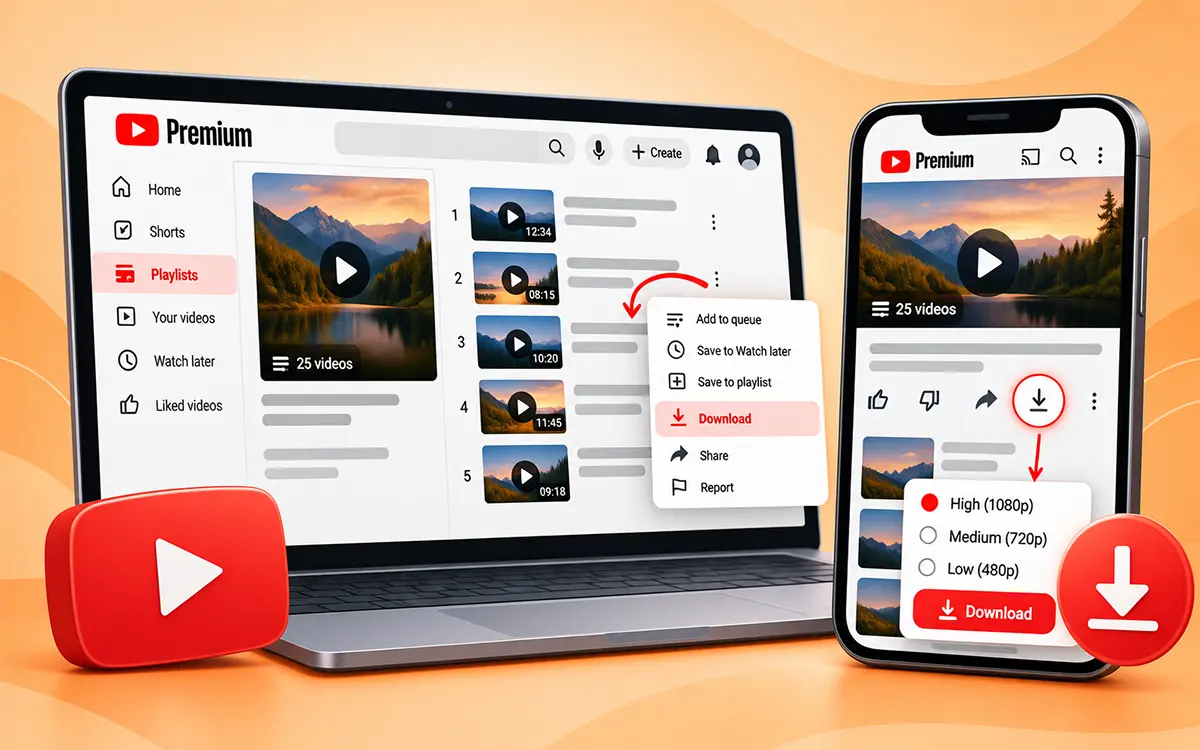
YouTube gives its users a premium package. After you make the monthly or yearly payment to subscribe to it, you get the download option within the app. But before you go, keep in mind that the saved videos stay in the app, not on your device. You can access the content without an internet connection anytime.
On a mobile or iPhone
-
First of all, open YouTube and sign in to your premium account.
-
Open the video you want to watch offline.
-
Press the download button below the video.
-
Choose your preferred quality if given.
-
Now access the video in YouTube’s download section.
On a computer
-
As a first step, sign in to your premium account.
-
Go to the video you want to keep.
-
Now click Download under the video.
-
If given, select the quality you want.
-
Then open the download section in the app to access offline.
Download Your Own YouTube Videos
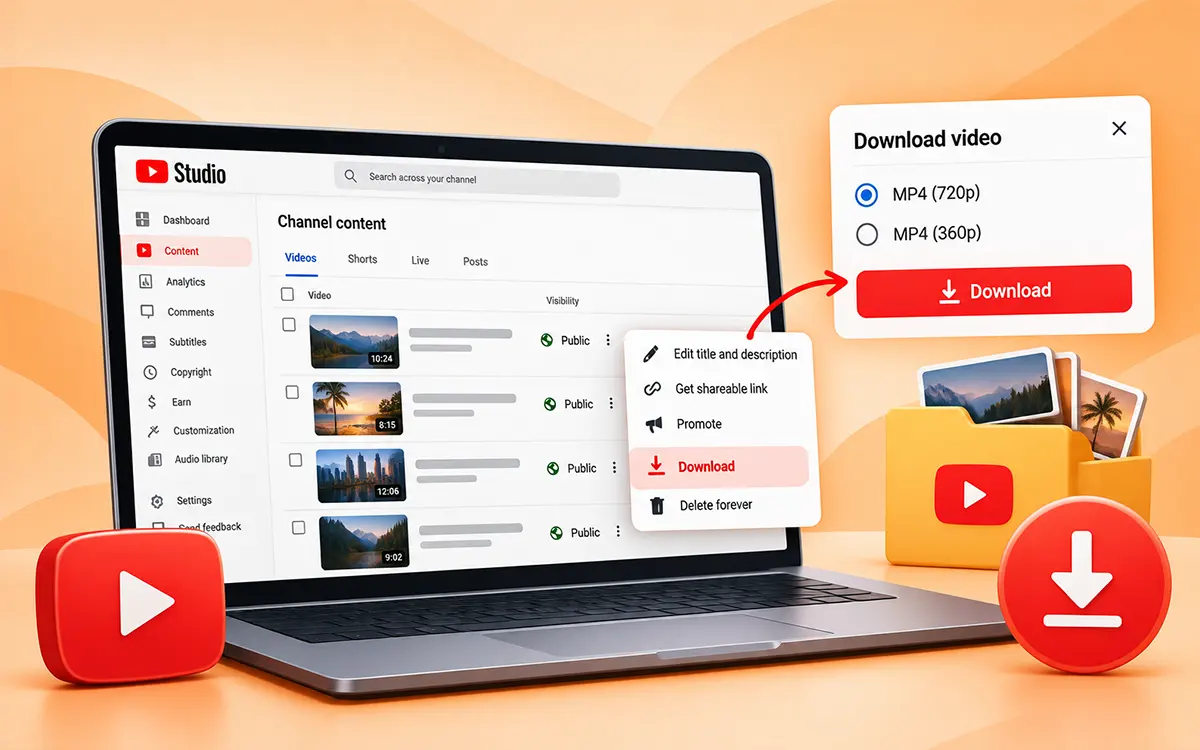
You get an official way to download the content from YouTube if it belongs to you.
On a computer.
-
Sign in to YouTube Studio.
-
Now select Content from the left-hand menu.
-
Then find the video you want.
-
Further open its menu and select Download.
YouTube states that the video is downloaded in MP4 files, 720p and 360p. You can also use Google Takeout if you want to save your content in bulk. This is the best route if you want to recover or back up your own content.
Download YouTube Videos with VideoSaver
VideoSaver comes to you as the solution to all your problems. It lets you download your YouTube videos and shorts in HD quality. This tool is a complete package for its users. Ease your online downloading with our server and enjoy your saved content without internet restrictions. The process is simple to follow.
-
First open YouTube on your device and find the video.
-
Now copy the link to the video.
-
Open VideoSaver and paste the link into the input field.
-
Then select the quality of video you want and hit the download icon.
Download the VideoSaver app on Android
The VideoSaver Android app is the fastest way to download content on your phone. Due to the ToS policy, it does not support downloads from YouTube. But you can use this app for other social media platforms like Instagram, TikTok, and Facebook.
-
Open the platform and find the video you want to download.
-
Copy the video's link by tapping the Share button.
-
Now open the VideoSaver app on your phone and paste the copied link.
-
Select the available video quality and press the Download icon.
Always keep in mind to avoid such apps that ask for your login details or other personal information.
Save YouTube Videos on iPhone
To download YouTube videos online on an iPhone, use the VideoSaver website on your browser.
-
Open the YouTube app and find the video to download.
-
Now tap the Share button and select Copy Link.
-
Open Safari or another browser and go to VideoSaver.
-
Paste the link into the input field.
-
Then choose your preferred quality and press the download icon.
You can repost the video on your other social media platforms or keep an archive of your own content.
Why Use a Browser on an iPhone?
For your occasional downloads, a browser-based method may be the best and fastest way to save the videos from YouTube. It is uncomplicated instead of you installing any software or app.
Way to Download Videos Without the App
If you do not have the YouTube app or do not even want to install it, you are still able to save the content from it.
Using YouTube on the Web
To save things, you do not actually need to open an app. If you have not installed the YouTube app on your device and are browsing it on your laptop or mobile browser, you can easily download the video. All you have to do is just grab the URL of any public video and pop it into the URL input field. It will be downloaded in the highest available quality without any watermark.
Without a YouTube Account
Don’t have the app installed on your phone? No problem at all. You can completely avoid downloading or registering for an account. Just open YouTube and get the publicly available link to the video and paste it here in this online video downloader.
Download YouTube Videos on PC or Mac
VideoSaver makes it easy for you to save YouTube videos in seconds on your PC or macOS. Use these methods if the video belongs to another creator, but respect the copyrights.
Use VideoSaver in Your Browser
This is the easiest way to save your favorite videos. Open YouTube in Chrome, Safari, Firefox, or another modern browser.
- Copy the link → VideoSaver → Paste the URL → Select quality → Download.
You can use the web version on Windows, Mac, and other desktop systems.
How to Download a YouTube Playlist
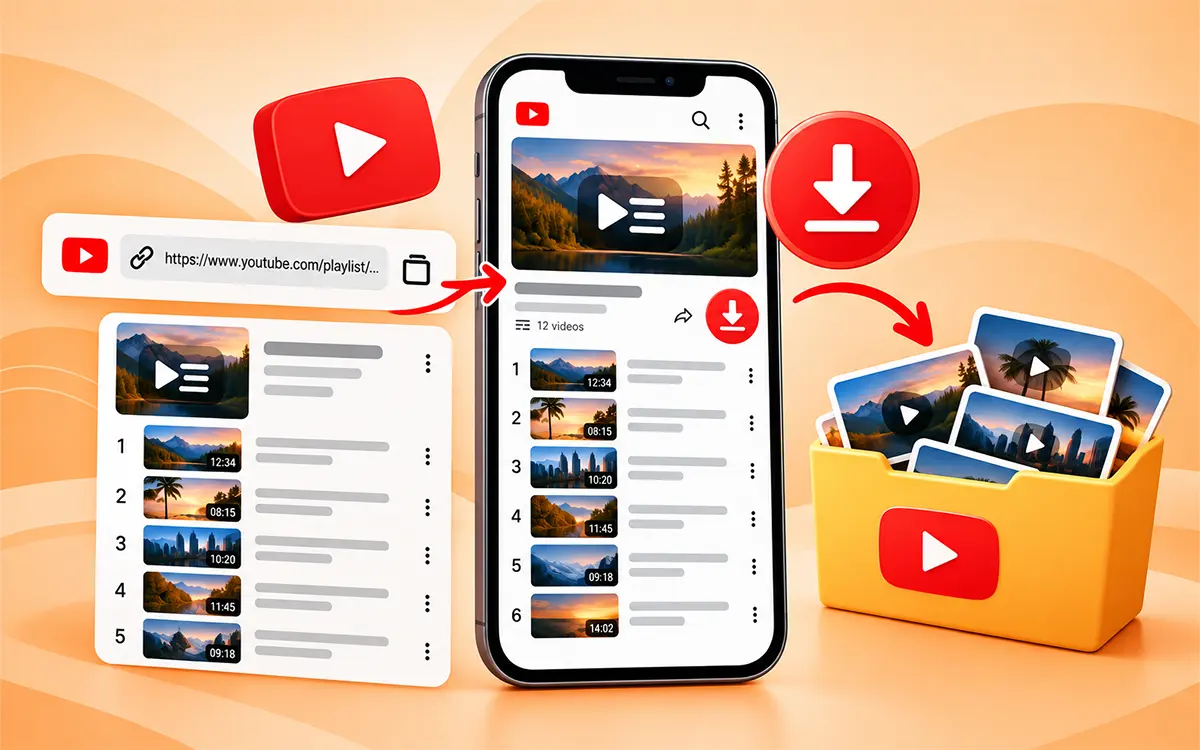
A playlist may comprise many videos, sometimes even hundreds in number. It is a tedious job to save them one by one. Some free online downloaders allow the use of playlist URLs and hence processing of supported videos through the playlist, without having to copy each video individually.
But the availability of playlists is dependent on the source, the visibility of videos, and the current ability of the downloader to process the playlist.
What Video Quality You Should Choose
You do not always need the high-resolution quality. Make sure to consider your needs and the purpose of your download before you select the quality. It helps you save from unnecessary wastage of storage on your device.
| Quality | Best For | Storage |
|---|---|---|
| 144p-360p | Small screens and saving space | Very low |
| 480p | Basic viewing | Low |
| 720p | Everyday HD viewing | Moderate |
| 1080p | Phone, laptops, TVs | Higher |
| 4K | Large screens and high-end archives | Very High |
| 8K | Supported high-end sources | Extremely High |
Where Are Downloaded YouTube Videos Saved?
YouTube Premium: The content is saved within the app download section.
Windows: In the Downloads folder.
-
Mac: You can access the video in Downloads.
-
Android: Downloads or the browser's selected location.
-
iPhone/iPad: Files app's Downloads location; it depends on settings.
Is It Legal to Download YouTube Videos: Copyrights
Just because you can download a video does not mean that you have permission to use it again. The content posted on YouTube may be protected by copyrights and belong to the original creator. If you save the video for personal use or reference, then it is a different thing from reposting it on other social media platforms. If you want to republish or use the content for business, make sure to ask the creator for permission. When possible, give credit to the creator, but it does not allow you to reuse the copyrighted content. If you want to use the content in the safest way, then make sure to respect the creator's copyrights and legality.
Difference between YouTube’s ToS and Copyright law
YouTube’s Terms of Service are a private agreement that puts restrictions on downloading or converting content without any permission. Copyright law is separate from YouTube’s Terms of Service. It protects creators and may apply exceptions such as fair use. If you convert copyrighted video to MP3 without permission, it may constitute copyright infringement. Always make sure whether the content is legally available for downloads or covered by a valid exception.
Your Privacy and Security When Downloading
Your privacy also matters most when using an external downloader. If you want a secure and safe download of the content, make sure to use a reliable method. Always make sure to be cautious when using other websites or software. Uninstall or close the online YouTube downloader if they ask for your password or credentials. To avoid any malware, always stay alert to unexpected pop-ups. Do not give unnecessary permissions to any online downloader to save the videos because it can be phishy and can invade your personal data.
Frequently Asked Questions
Why is my YouTube video not downloading?
There can be multiple reasons that you are unable to download the video. The video may be removed, your internet may not be stable, or the file may be private.
Why should I use VideoSaver to download the content?
Because VideoSaver is a secure third-party YouTube video downloader. It keeps all of your details and history hidden and follows all the security protocols.
Can I save videos without any app installation?
You can download the videos without installing any app if you do not want to. You can use the VideoSaver web to save content to watch offline.
With VideoSaver, can I convert YouTube to an MP3 file?
Yes. You can use the VideoSaver web and Android app to convert a YouTube video into an MP3 file.
Is there a VideoSaver app?
Yes. VideoSaver provides you with an Android app. Install the app from the Play Store and start your downloads to access content offline.
Where does VideoSaver save my downloaded content?
All of your downloaded files are saved in your default download folder. It will be there unless you change the location option.
Which tool is most reliable for downloading YouTube content?
VideoSaver is the most reliable online video downloader. Your security and privacy are the primary goals of this tool. It allows you to save your content in HD quality without any watermark.
How to Save YouTube Shorts?
The same way as videos, YouTube Shorts are saved. First of all open the short you want to download and copy the link to it. Now paste the URL into the VideoSaver server and start your downloads. This link may look a bit different from standard video links.
Can I download YouTube videos without an account?
Yes, public downloader sites do not ask you to log into anything. You can download the video without an account.
Can I download a YouTube video on my phone?
Yes. Whether you are an Android user or an iPhone user. You can use the VideoSaver Android app and use its web version on iPhone.
How to save YouTube videos on PC?
To save on PC, open YouTube in your browser and get the link to the video. Go to VideoSaver and put the link in the input field and press the download icon.
Final Verdict
There is no single way to download a YouTube video, and the best option depends on what you are trying to accomplish. If you only want offline viewing, then its built-in download feature is the best option for you. If you're backing up your own channel, YouTube Studio gives you an official way to retrieve your uploads.
For supported content where you need an actual downloadable file, VideoSaver gives you more flexibility. Android users can use the dedicated app, while iPhone, Windows, Mac, and Linux users can use the browser-based downloader without installing anything. VideoSaver also offers a Google extension as part of its wider toolkit, although its current page makes clear that YouTube downloading isn't available through that extension because of Google policies. Always remember the difference between having a copy of a video and having the right to reuse it, whatever method you use.