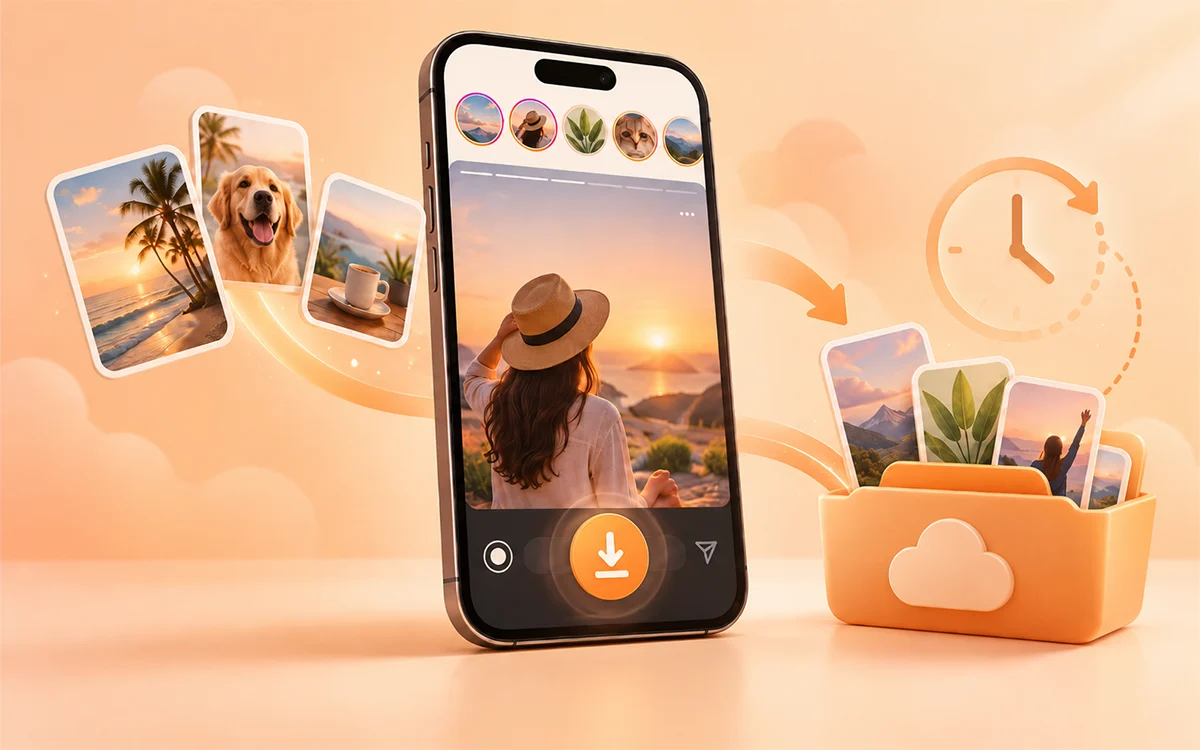
The Instagram story feature is designed in a way that it disappears after the time period of 24 hours. There are times when you wish you had a specific story on your device gallery. The good news is that you do not have to wait until a story disappears to save it. You have several options that depend on whether it is your own story or content from another public account.
In this guide, we will cover the easy ways to download Instagram Stories before they expire. It includes how to save your own stories and how to use an online downloader such as VideoSaver. If you want the complete guide, check our How to Download Instagram Videos page. You will get all the answers to your problems and reliable ways to save the content online.
Why Do Instagram Stories Disappear?
Instagram Stories are temporary posts that remain visible for a limited period. The story is no longer there once the period ends. It gets removed from the active Story section of the account. That is why the time matters if you want to save a story from a public account. An online downloader cannot retrieve it after the story is no longer available.
For your own stories, Instagram also gives an internal feature to keep access to the last shared content. But keep in mind that it depends on your account settings and the features available in the app.
How to Download Your Own Instagram Stories
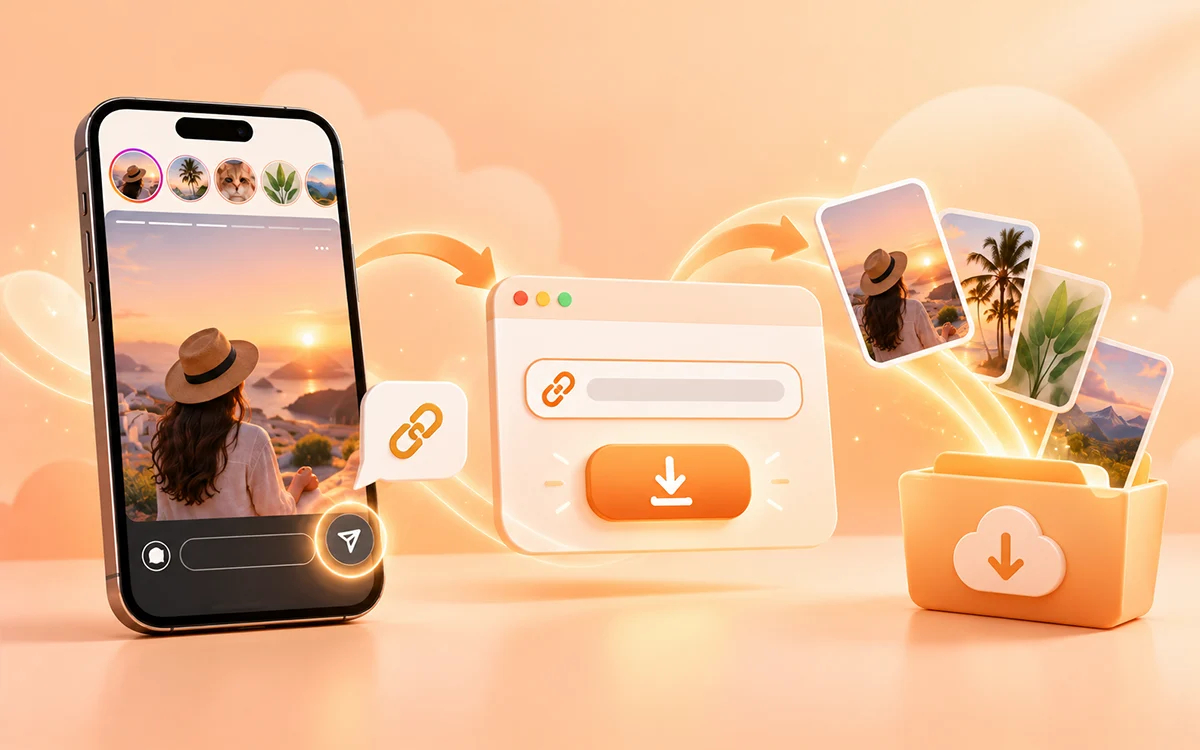
If you are the owner of the story, then the simple option is to save it straight from Instagram. Look for the available save or download option in the Story controls when you watch your own Story. The features of Instagram may change between app versions. The exact wording or location of the option may vary.
Another useful option is Archive. Instead of relying on it to remain publicly visible, your account can keep Stories in your archive after they leave the active section. This way is useful if you post stories on a regular basis and you want to keep them as a personal record.
How to Download Someone Else’s Instagram Stories
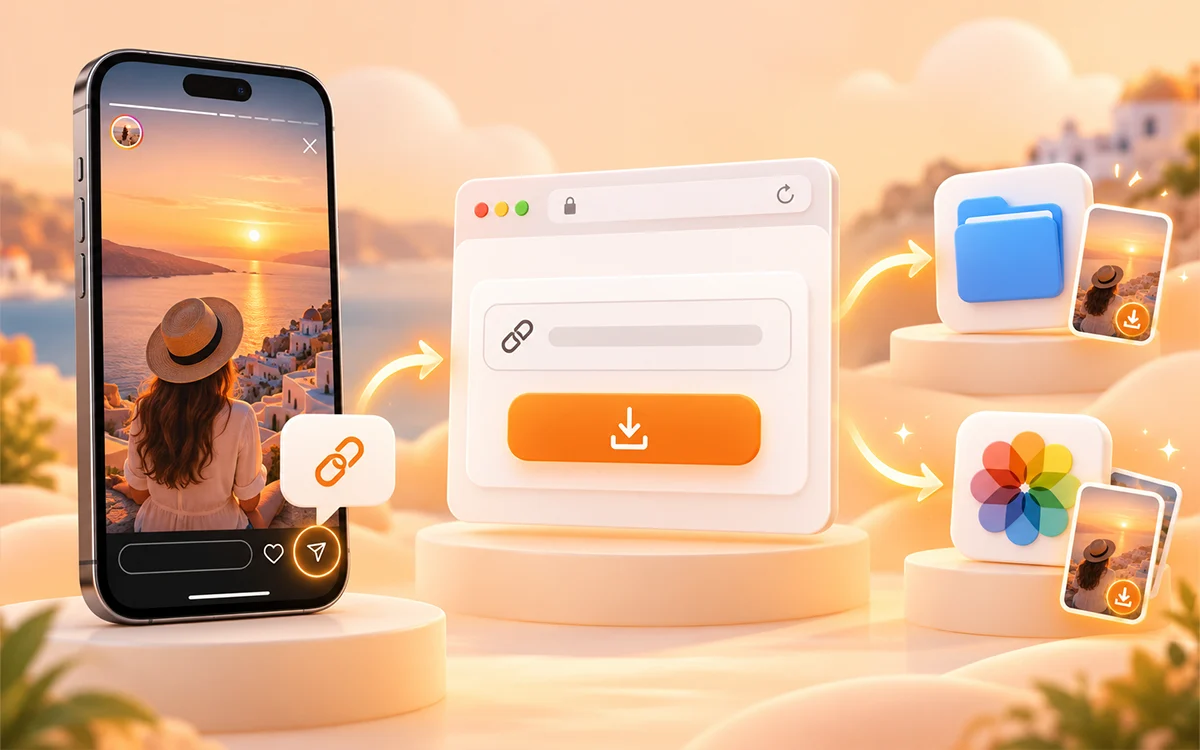
The situation is different if the story belongs to another account. An online downloader is a convenient option for a story from a public account. You do not need to install another app or sign in to Instagram. The basic process with VideoSaver is.
-
First of all, open Instagram and find the story you want to save.
-
Use the Share option and copy the link.
-
Now open VideoSaver and paste the link in the input field.
-
As a final step, press the download icon to save it.
How to Save an Instagram Story on iPhone?
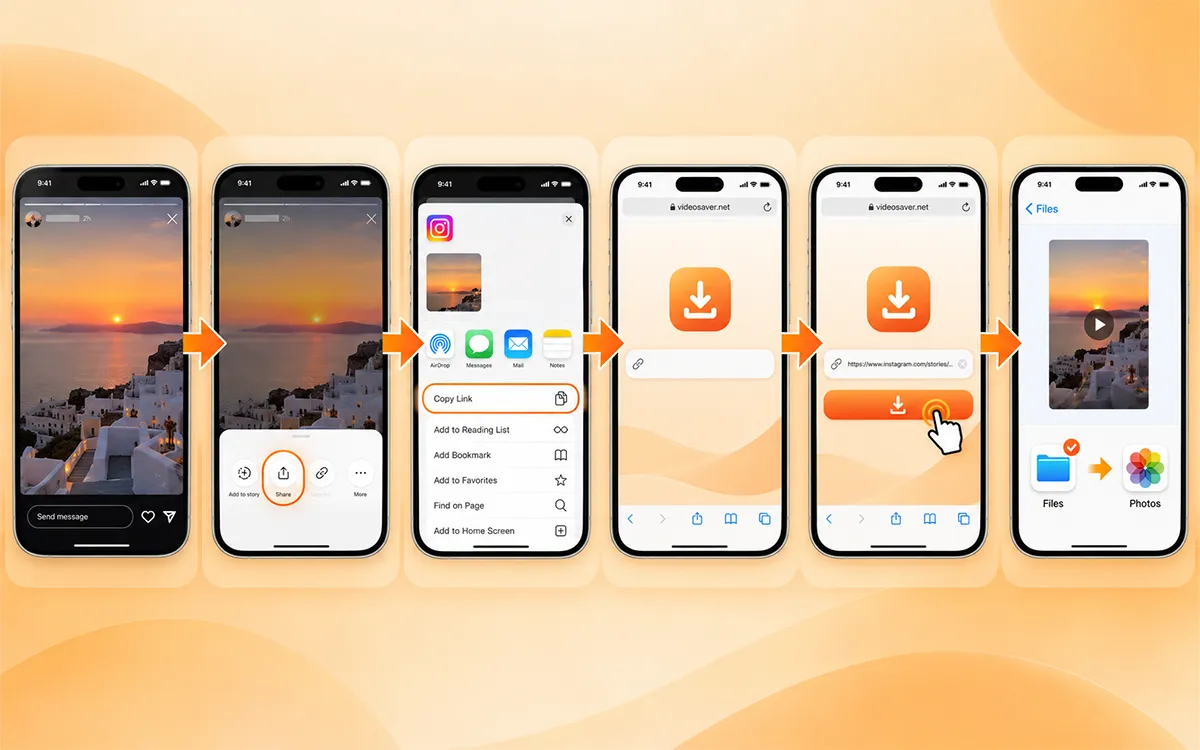
Use the VideoSaver website on your browser to save the Instagram Story on your iPhone.
-
Open the app and find the story you want to download.
-
Now tap the Share button and select Copy Link.
-
Open Safari or another browser and go to VideoSaver.
-
Paste the link into the input field.
-
Then press the download button.
If it is saved in Files instead of Photos, then you can change it later.
iPhone Screen Recording
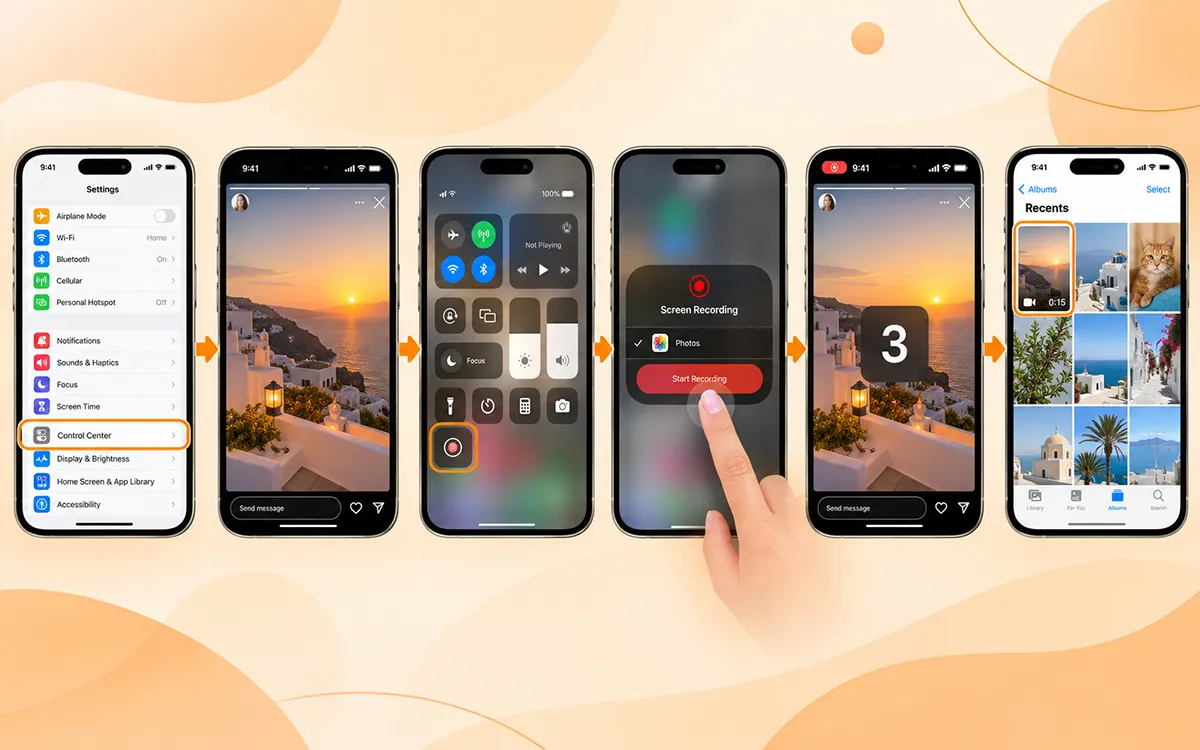
Open Settings and make sure that screen recording is available in Control Center. This is an internal feature of the iPhone to save the content on the device.
-
As the first step, open Instagram.
-
Go to the story you want to save.
-
Now open Control Center on your iPhone.
-
Tap the Screen Recording button.
-
Wait for the countdown.
-
Play the story.
-
Stop recording when it finishes.
-
Open the recording in the Photos app.
How to Save an Instagram Story on Android?
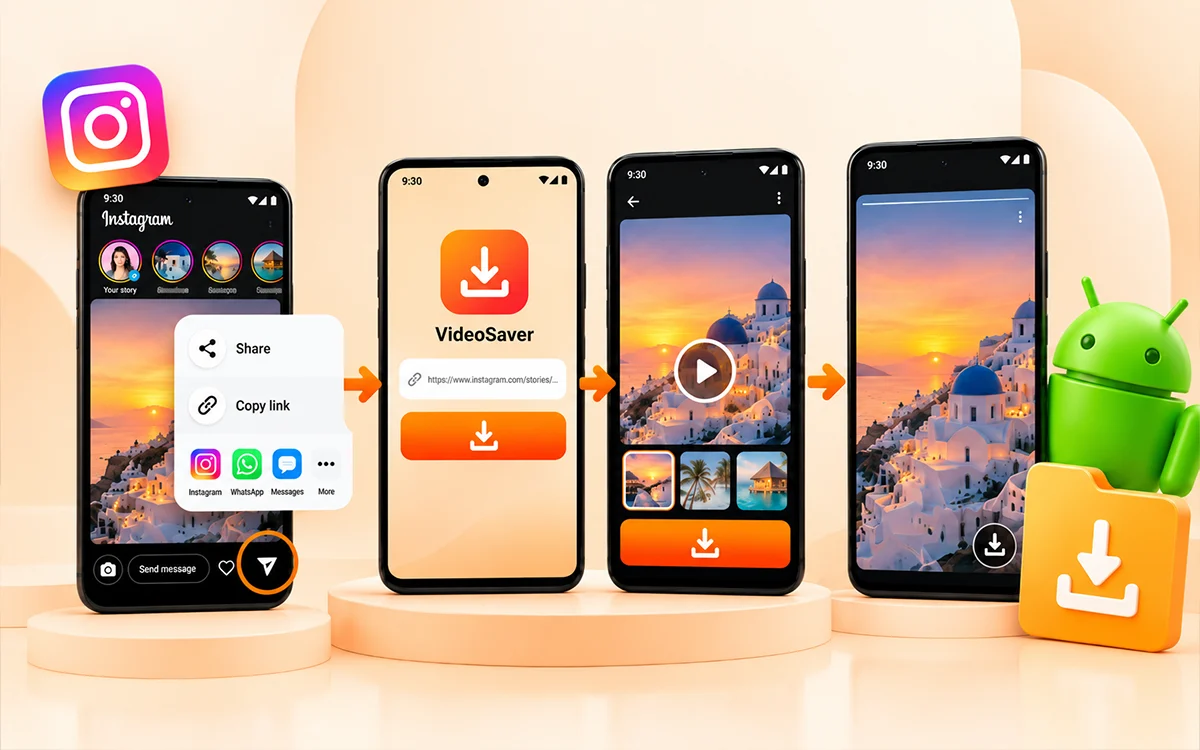
If you are someone who downloads content on a regular basis, then you can use VideoSaver's dedicated Android app. It is the most convenient and fastest way to get your content on your device in seconds. Just follow the steps given below.
-
Open the Instagram app on your phone and find the story you want to save.
-
Now click the Share icon to get the URL of it.
-
Then go to the app and paste the link into the box.
-
Now press the Download icon to save the story on your device.
How to Download an Instagram Story on a Computer?
This is the easiest way to save your favorite videos on a PC or laptop. Open Instagram in Chrome, Safari, or another modern browser of your choice. You can use the web version on Windows, Mac, and other desktop systems.
-
First copy the link to the story you want on your device.
-
Go to VideoSaver and paste the URL in the box.
-
Now select quality and click the download icon.
What If the Instagram Story Has Already Expired?
This is where the time matters. If the story of another person has disappeared from Instagram, then you cannot expect an online downloader to retrieve it. The downloader needs the content to remain accessible to process it. You may still have access to your own story through the archive if it was archived.
It is better to save it while it is still alive instead of waiting until the last few minutes if you want to keep a public story.
Downloading an Instagram Story vs. Screen Recording
Screen recording is another way to keep something that is visible on your screen. It can be useful when you need a quick personal reference. But remember that it is not always the best option.
A downloaded media file can be more convenient to store and reuse for permitted purposes. The screen recordings can introduce differences in resolution or audio. Here is a simple comparison.
| Method | Best For | Main Limitation |
|---|---|---|
| Instagram's save features | Your own stories | Only applies to supported content/features |
| VideoSaver | Publicly accessible stories | The story must still be available |
| Screen recording | Quick personal reference | Quality may vary |
| Keeping the original file | Your own content | Only possible if you have the original |
Tips to Get the Best Quality
If you are someone for whom quality matters, then keep in mind these factors.
-
Make sure to save the story while it is still there.
-
You should keep the original when it is your content.
-
Do not download and upload the same file again and again.
-
Use the highest available quality.
-
Do not confuse the downloaded content with permission to republish.
Final Thoughts
Instagram users know that its stories are easy to miss. They are available for 24 hours and then disappear. The built-in feature is the best option if you want to save your own content. You can use the VideoSaver Android app to save the content.
Whatever method you use, remember that downloading a file and having the right to republish that file are two different things. Save content responsibly, respect private accounts, and get permission when you plan to reuse someone else's work.
Frequently Asked Question
How do I download an Instagram Story before it expires?
If it is your own story, then use Instagram's available save features or keep the original file. You can copy the Story link and use an online downloader such as VideoSaver while the Story is still live for a publicly accessible Story from another account.
Can I download an Instagram Story without an app?
Yes. A browser-based downloader lets you save supported public Instagram content without installing another application.
Can I download someone else's Instagram Story?
Yes. A publicly accessible story may be downloadable while it is still available. However, downloading a file does not give you ownership or permission to repost it.
Can I download an expired Instagram Story?
No. If someone else's story has already expired and is no longer publicly accessible, a downloader cannot retrieve it. Your own expired stories may still be available through Instagram's archive if they were archived.
Can I download a story from a private account?
You should not use a downloader to bypass an account's privacy settings. If you need a copy of private content, ask the account owner to send it to you.
Why isn't an Instagram Story downloading?
There can be various reasons. The story may have expired, the link may be incorrect, the account may be private, or the content may no longer be publicly accessible.