You must be familiar with Twitch if you are someone who loves looking for a platform that is full of live streams and gaming sessions; then you are familiar with Twitch. A hub where there are thousands of entertainment and esports videos. But it is not always easy to watch the content online because there comes a time when you want to save your video on your device. Nothing to worry about. You can count on us!
You can save the videos on any of your devices with an online downloader and a built-in Twitch feature. In this guide you will learn to save the online content with VideoSaver Twitch Video Downloader. In this article we will also discuss other problems related to downloads and the alternatives you have.
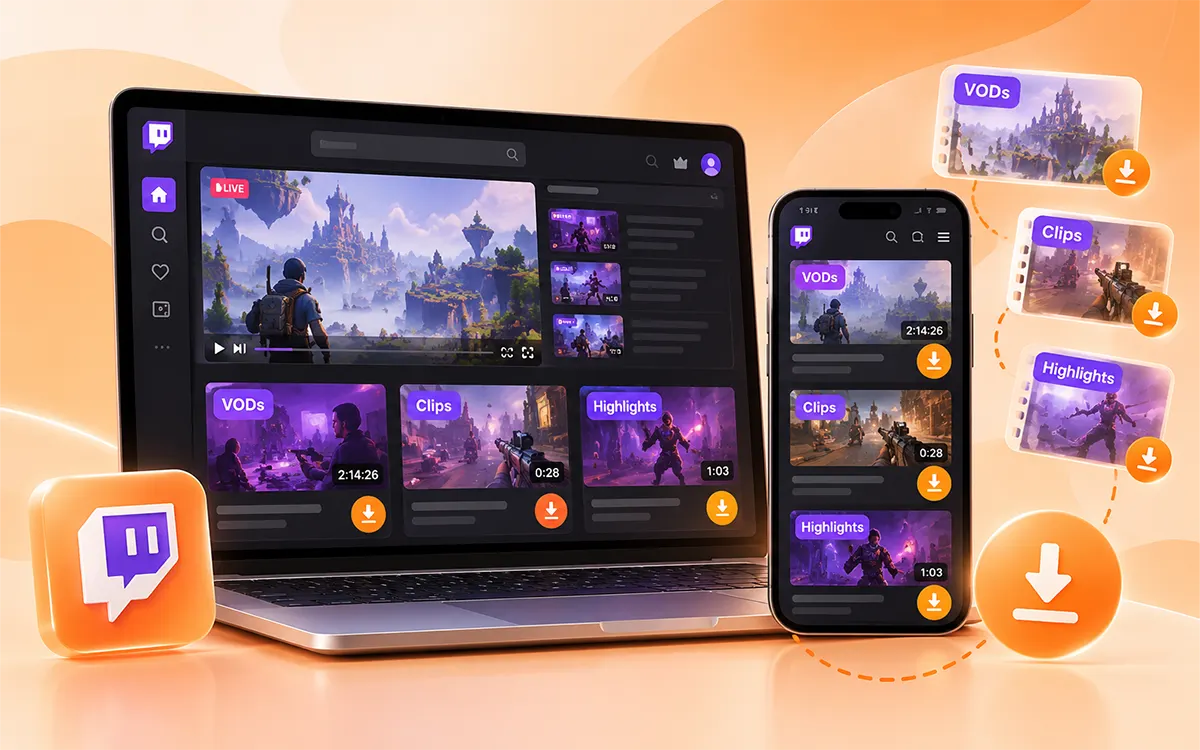
What are Twitch VODs, clips, and highlights?
It helps to understand different types of content available on Twitch before you choose your preferred downloading method.
VODs
It is a full recording of a previous live stream that viewers can watch after the broadcast ends.
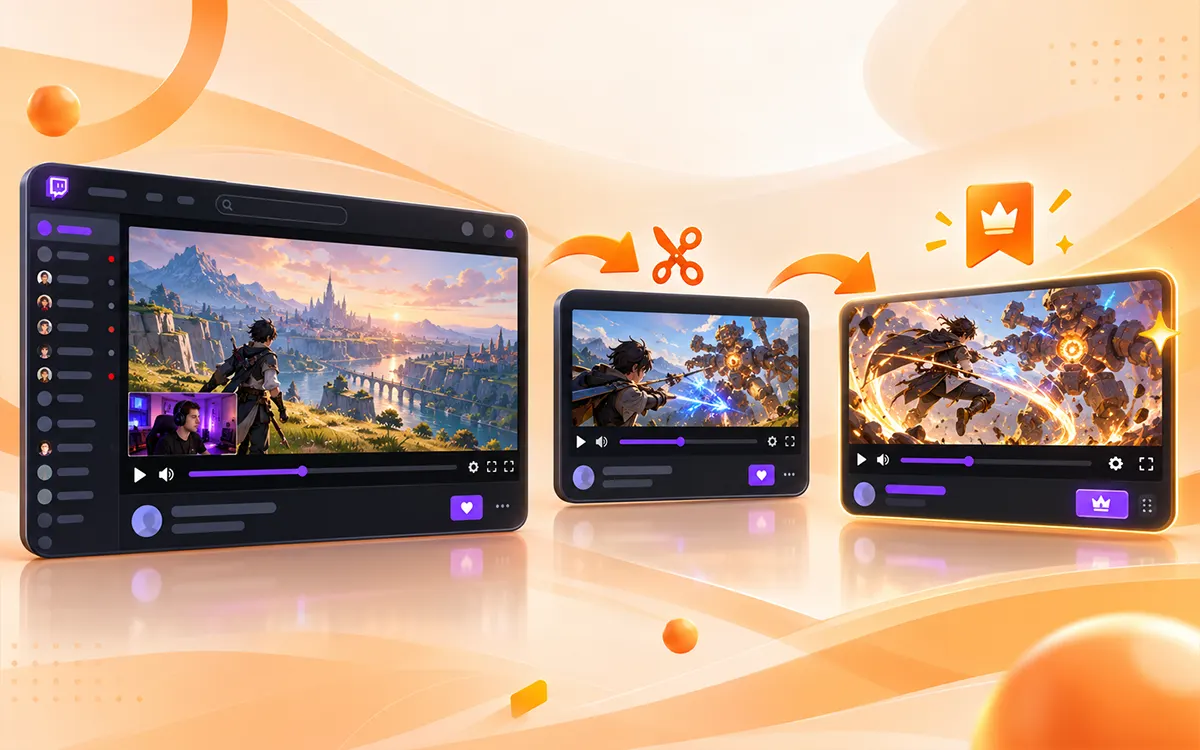
Twitch Clips
Do not want to waste your precious time on hours-long videos? These short clips are a time saver. They are short parts captured from the live stream or VOD. Upgrade your funny or sad reactions collection with these clips, or save your memorable moments on your iPad or phone, etc.
Highlights
These sections of creators' broadcasts are also saved as a separate file for the viewer to revisit.
Between a VOD and a clip, the file you choose depends on what you think of doing with the content. If you want to keep an entire gaming session, then a VOD file is perfect. But if you only want to preserve a specific moment from a video clip (taken from VOD), it is a more practical choice for you to save. On the other hand, highlights are a good choice if you wish to revisit a specific part of the creator's content.
How to Download Twitch Videos Online with VideoSaver
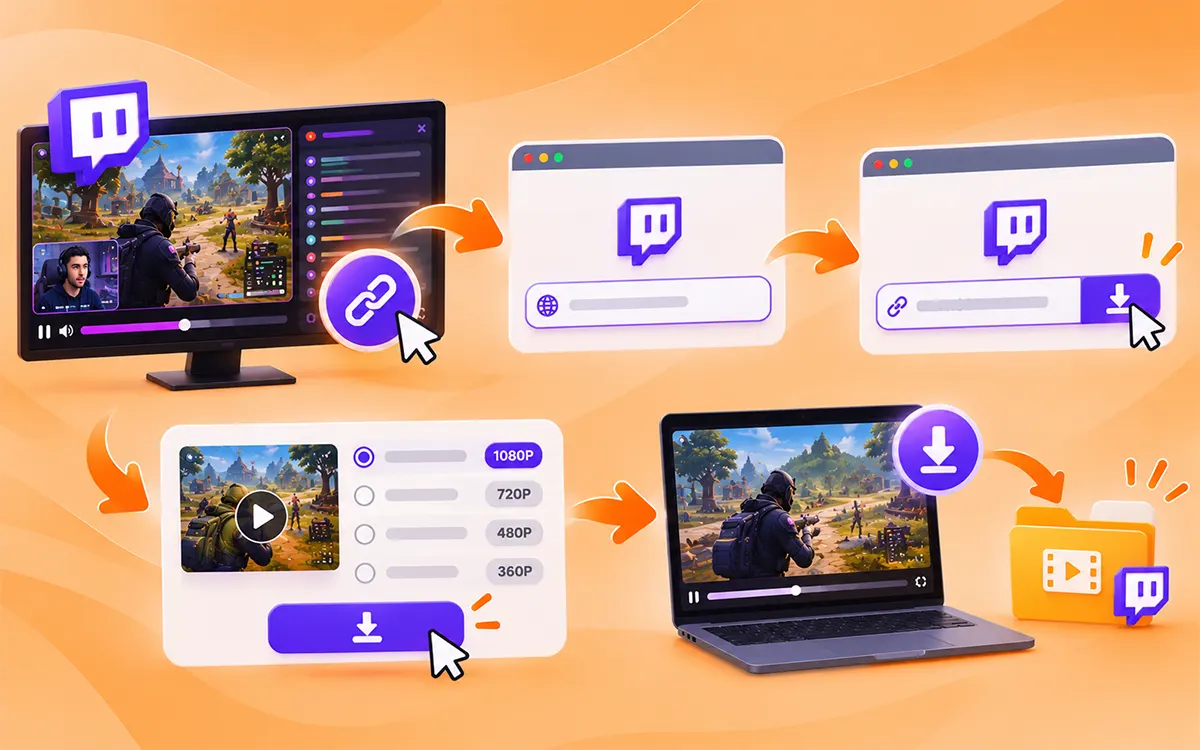
An online video downloader is the convenient way to save content online. VideoSaver is the tool that gives you every feature and supports every device. It lets you download the videos without any watermark and gives HD quality. The process to download the videos is very simple to follow, as you do not need any technical skills to perform it.
- First of all, find the video you want to save on your device and copy the link to it.
- Open the VideoSaver Twitch Downloader in your preferred browser.
- Now paste the URL into the input field and let the tool fetch the details.
- Then select from the available quality options and press the download button.
The location of your downloaded file depends on the device you use. Once you complete the download, open the video to make sure it plays right and supports the audio.
How to Download Your Own Content Directly From Twitch
The internal download feature of Twitch is the best choice for you if you want to save a broadcast from your own channel. You do not need any third-party tool to do it.
Enable Past Broadcast Storage
You need to open your creator settings and find the Stream Settings before your next broadcast. Allow the option to store past streams. It is crucial to change the settings because Twitch does not save every live broadcast as VOD when storage is disabled. But remember that it won’t restore the streams that were not saved after you enable it.
Open Video Producer
To open the Creator Dashboard, sign in to your Twitch account. And now go to Video Producer under the content section. You can review the available past broadcasts and uploads.
Download the Broadcast
To save the video on your device, locate it. Open the three-dot menu beside the video and select Download if the option is available to you. Wait for the time it takes to save the video, as long files may take time.
Keep a Backup
Save the recordings that are important to you to a suitable local drive or another storage location. You can also connect your Twitch account to YouTube and use its export option when right. Also check its official VOD guide if you want more details.
The documented retention periods of Twitch are seven days for many other broadcasters. It is fourteen days for the affiliates and sixty days for the partners. Do check the official guide to know about special content types and differences in policies.
How to Download Twitch Clips
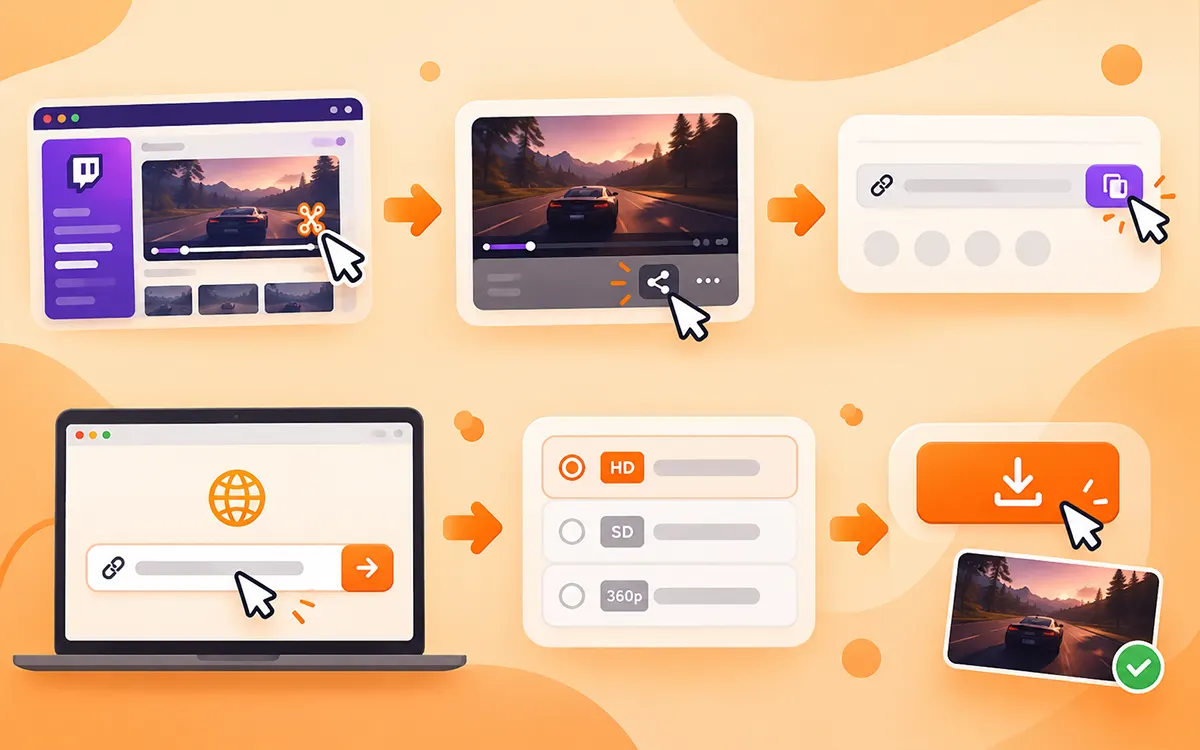
Twitch clips are shorter than broadcasts, and that is why they are easy to download. Here is how you can save a clip with an online downloader.
- To start, open your account and find the clip you want to preserve.
- After that, copy the URL to the file.
- Now open the online video downloader in your browser, like VideoSaver.
- To save the clip, paste the URL into the box and choose from the quality options you see.
- Now click the download button to save it on your device.
- Always make sure that you copy the URL to the clip instead of the channel or the full broadcast.
How to Download Twitch Videos on Different Devices
There are multiple download methods available for you. Which you choose depends on various factors like the purpose of the download and the device you use.
Download Twitch Videos on Windows or Mac
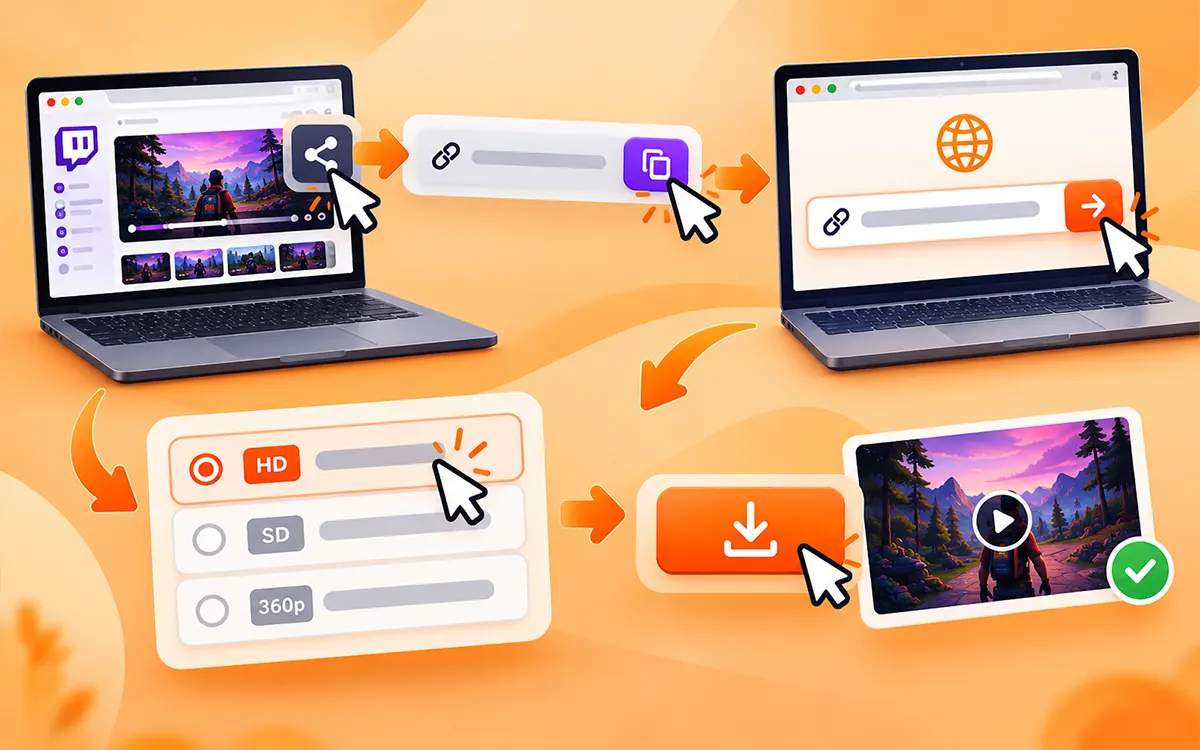
As always, the method you go for the download depends on the device you use.
Use Your Browser
If you are looking for the easiest way, then it is to save your favorite videos. First off, open Twitch in Chrome, Safari, Firefox, or another modern browser.
- Copy the link → VideoSaver → Paste the URL → Select quality → Download.
You can use the web version on Windows or Mac. It also supports other desktop systems.
Use a Google Extension
If you download Twitch videos on a regular basis, then using an extension saves time, as it eliminates the need to visit external websites. The VideoSaver Google extension is an all-in-one tool that operates in your browser. This way makes sense for people who on a regular basis save videos instead of downloading one video sometimes.
- Get the extension on your device and pin it to your browser toolbar.
- Then open the Twitch website and go to the stream, VOD, or clip you want to download.
- Click the VideoSaver extension icon in your browser toolbar (or click the Download button added to the page).
- Now select your preferred resolution.
- As a final step, click Download to save the MP4 file to your device.
Save the Twitch Content on Android
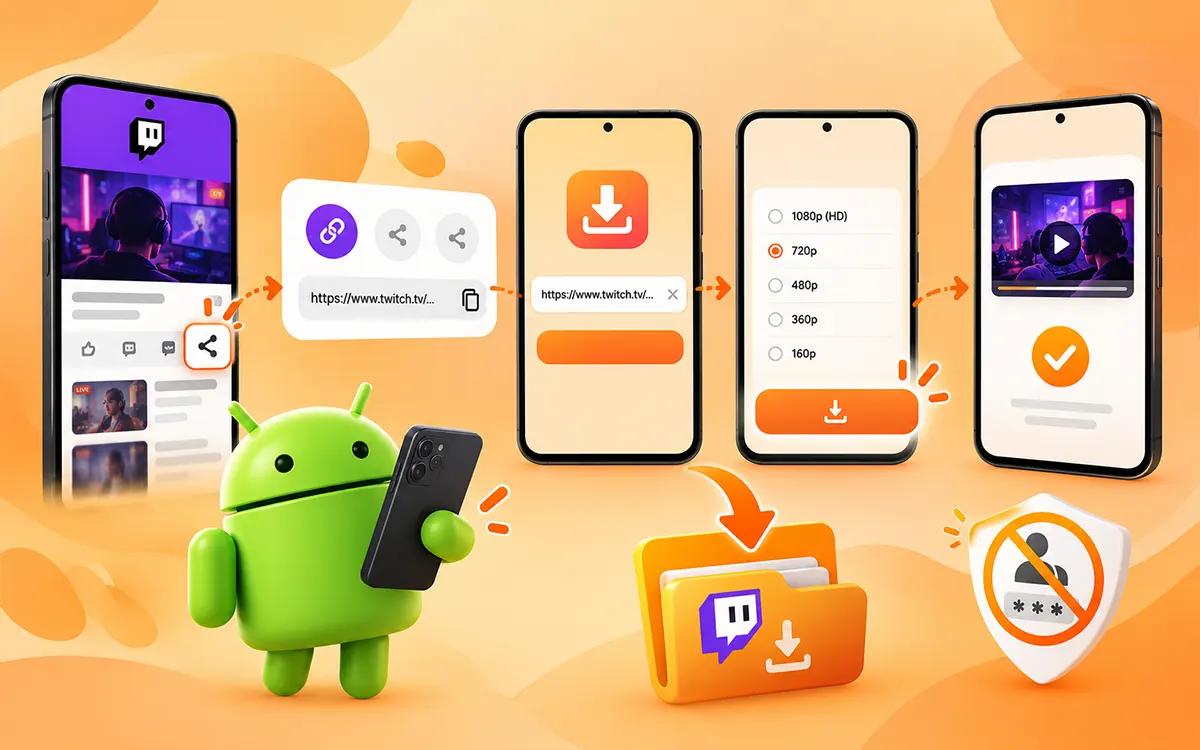
Android users can use the VideoSaver App for downloads. It is the easiest way to perform the process in seconds without any extension.
- To begin with, open Twitch and find the video you want to save.
- Copy the link to the file by pressing the Share button.
- Now go to the VideoSaver app on your phone and paste the copied link.
- Select the quality and press the Download icon.
You should always avoid such apps that ask for your passwords or other personal information. The online downloaders do not ask for any of these.
Download the videos on iPhone
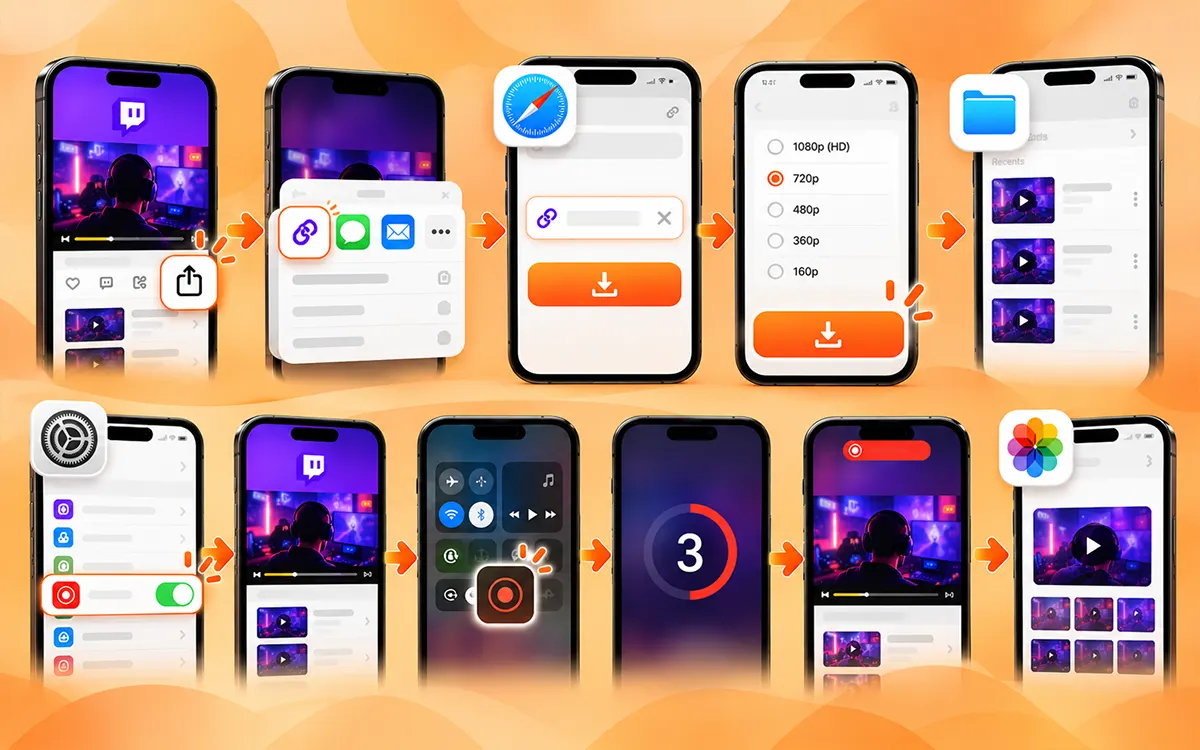
iPhone users can also download the content in two ways. The external downloader and the internal feature of the device. The method you choose depends on the quality you want.
Using VideoSaver in Safari
You can download full quality Twitch clips onto your iPhone with VideoSaver through Safari.
Open Twitch, find your video, and copy its link via the Share menu. Then open Safari and go to VideoSaver. Paste the link into the box to download the clip or video. Select the video quality you want and tap the Download icon.
Open the Files app on your iPhone to find and view your saved video. The exact location depends on your Safari download settings.
Using Your iPhone Internal Feature (Screen Recording)
You can grab Twitch clips with a feature that is already built into your iPhone. But keep in mind that recorded videos won't match the crisp quality of a direct file download, although it is a super fast way.
Set up the Control Center
Go to Settings > Control Center and make sure Screen Recording is added.
Find your video
Open the Twitch app or site and move to the stream or clip you want to save.
Start recording
Swipe down to open your Control Center and tap the Record icon.
Capture the video
Wait for the 3-second countdown, head back to Twitch, and play the video.
Finish up
Once the video ends, tap the red recording bar at the top or in Control Center to stop. You will find your saved video right inside your Photos app.
How to Choose the Right Method to Download Twitch Videos
Different methods suit different needs. If you're not sure which method to choose, then check the table to make the right decision. Do not let your entertainment stop, and try YouTube Video Downloader and Instagram Video Downloader to save unlimited content from relevant platforms with the following methods.
| Method | Best Suited For | Main Consideration |
|---|---|---|
| VideoSaver Online downloader | Quick downloads for both browser and extension. | Availability and quality depend on the source and plan. |
| Twitch native download option | Your own saved broadcast. | Requires and available VOD in Video Producer. |
| Desktop Software | Frequent download and file management | Requires installations; supported content varies. |
| Mobile App | People who prefer an app-based workflow. | Review permission and compatibility. |
| Browser Extension | Frequent downloads while browsing. | Extension support and permissions may vary. |
| Screen Recording | For content when direct download is not available. | Takes the full playback time. |
The Legality and Security of Twitch Video Download
Your Privacy and Data Protection Matters
Security is something you should never compromise on. Do not trust every online tool, as they can be a scam and exploit your privacy.
Protect Your Data & Privacy
Never think your privacy is safe with such online tools. They can be a scam and take advantage of your privacy and sell it to other websites.
Why Use an Account
The account details, whatever they are, belong to you. You do not need to give any of your account and passwords to them as they don’t need them to perform the tasks.
No Activity Recorded
Suspicious activity is very common when it comes to different tools. When they have a trustworthy status on their website it won’t log your IP address or searches. The browser history will be hidden and safe.
Secure Connection
Always check for HTTPS encryption before you start downloading from various tools. They help secure your content saving sessions from interruptions and more.
Least Data Collection
Google Analytics and Google AdSense. These two are the most standard services these tools use to keep the data secure. So look for those tools that does not collect your sensitive personal data.
Copyright and Ethical Downloads
The copyrights may vary in different countries and for content types. Do not try to ignore the rights of the original creator given to them by the official platform.
Respect Creator Rights
Only download content that you have permission to save. Always respect the exclusive rights of original creators and streamers.
For Only Personal Use
The media you saved should be used for your own offline access. Do not upload again or monetize downloaded video.
No Ownership Transfer
A video downloader tool does not grant you ownership or copyright rights of the saved content.
User Legal Duty
Users are responsible to make sure their downloads are in accordance with local copyright laws. It must comply with the specific terms of service of the video platform.
Choose the Right Video Quality
If you save every video in maximum quality then it is the fast way to run out of storage soon. Save yourself from unnecessary wastage of storage on your device and download the content in the quality that meets your needs. You do not always need high resolution quality. The quality you choose depends on the purpose for which you download.
| Quality | Best For | Storage | Twitch Supported |
|---|---|---|---|
| 160p-360p | Quick reference, slow connections, saving maximum space | Very low | Yes |
| 480p | Casual viewing on small mobile screens | Low | Yes |
| 720p | Everyday HD viewing; smooth playback on phones & tablets | Moderate | Yes |
| 1080p | Best experience for laptops, PC monitors, and TV playback | Higher | Yes (Twitch Max) |
Frequently Asked Questions
Why choose VideoSaver for online downloads?
VideoSaver is a reliable tool that gives you high-quality downloads without watermarks. It supports the most popular formats such as MP4 and MP3.
Does VideoSaver have a mobile app?
Yes. The VideoSaver app is available on the Play Store. Get the app on an Android phone and download the content in seconds.
Why does it take so long to download my VOD?
It is because Twitch VODs consist of multiple hours and heavy data streams. Large file sizes take a little longer to process and download depending on your internet speed.
Why does my player not accept my downloaded format?
This is a rare issue faced by users. If you face this issue, then check your PC to see if it has all the necessary media codecs. Make sure your player is up to date, and if it still does not work, then try another player.
Can I download live broadcasts while they are live?
No. You cannot download live broadcasts when they are in progress. You can download the video once the streaming is ended.
Which is the best Twitch video downloader?
If you want the best experience, then VideoSaver is the best option. Save the videos in original quality without any watermark. It works across all devices.
Why isn’t my video downloading?
There can be multiple reasons that your video is unable to download. The reason may be that the video is no longer available or the internet connection is not stable. An incorrect or incomplete URL can also be another reason.
Can I convert Twitch videos into MP3 files?
Yes. With VideoSaver, you can convert any video of your choice into an MP3 file. Extract your favorite audio and use it as your ringtone and update your playlist.
Is it legal to download Twitch videos?
The answer depends on the purpose for which you want to save the content and Twitch policy. If it is for your personal use, then it is generally acceptable. But if you want to reuse it for another purpose, then get permission from the original creator.
Can I download Twitch videos without an account?
Yes. Public downloaders do not ask for your account to log in. All they need is a copied link of the file you want to save to process it.
How to save Twitch videos on PC?
The process is very simple. Open Twitch in your browser and get the link to the video. Now go to VideoSaver and paste the link into the box and press the download button to start the process.
How to compress Twitch videos to save storage?
To compress the video, you can use an online compressor tool. The other solution is to lower the resolution and frame rate before you save it. If these do not work, then try to trim the unnecessary part of the video before you download the file.
Final Verdict
The download of Twitch content can be useful to save your own broadcast or to keep clips for offline access. The best method depends on various factors like your device and the purpose of the download. It also depends on how you want to manage the content on your device.
Use VideoSaver for a simple browser based way. You can install its app from the Play Store for Android. The process is always easy to follow as copy the link and paste it into the downloader you are using.
To wrap up with it is necessary to mention respecting the copyrights of creators. Do not ignore your privacy and security while you an online downloader.